REFERRIZER

Redesigning the import contacts process to be more intuitive & seamless

Referrizer import contacts redesign overview

OVERVIEW

Overview

As a senior UX designer for Referrizer and project lead, I took a strategic approach to create a solution that would meet the needs of non-tech small business owners looking for an easy way to import their contacts into our marketing automation CRM system. I used a design process that included research, ideation, design, prototyping, and user testing to ensure the final solution would be as intuitive and user-friendly as possible.

MY ROLE

Lead the UX strategy and execution

TOOLS

Figma, Miro, FigJam, Maze

PROJECT DURATION

~ 2 years


The Challenge

The main challenge was to simplify the contact import process for non-tech small business owners, who are not familiar with marketing automation tools and do not have the time to learn everything about marketing. We identified that our target personas had problems associated with the complicated process of manually importing their contacts into our system, and were looking for a more streamlined solution that would enable them to import contacts quickly and easily.

Problem 01: Built for Marketers, Not Owners

The people importing contacts were small business owners, not marketers. They had no background in marketing automation and no reason to acquire one.

Problem 02: No Time to Learn

Owners were running a business, not learning a tool. Anything that needed study before it could be used was never going to get used.

Problem 03: Importing by Hand

Contacts had to be brought in manually through a process that was both complicated and slow, which put the work at the very start of the experience.


The Solution

To solve this challenge, I worked with my team to develop features that would allow users to import contacts into our system in a seamless and intuitive way, using integrations to multiple platforms, as well as CSV upload and manual upload (copy & paste). This involved developing a user flow that was easy to follow, as well as wireframes and high fidelity screens that were optimized for usability. We also worked on creating a design system that was consistent with our brand identity, and ensured that the final solution was scalable and easy to maintain.

Platform Integrations

Contacts come straight across from the tools a business already uses, so the import is a connection rather than a chore.

CSV Upload

For lists that live in a spreadsheet, a file upload path that does not ask the user to understand the data model first.

Copy and Paste

A manual entry route for the smallest lists, because not every business has a system to integrate with or a file to export.


My Design Process

My design process is focused on user-centered design principles and involved several stages of development, including research, ideation, design, prototyping, and user testing. I started with research to understand our users' needs and pain points, and used tools like user interviews, surveys, and user behavior tracking to gather insights. This information was then used to inform our ideation process, where we brainstormed ideas and concepts for the solution.

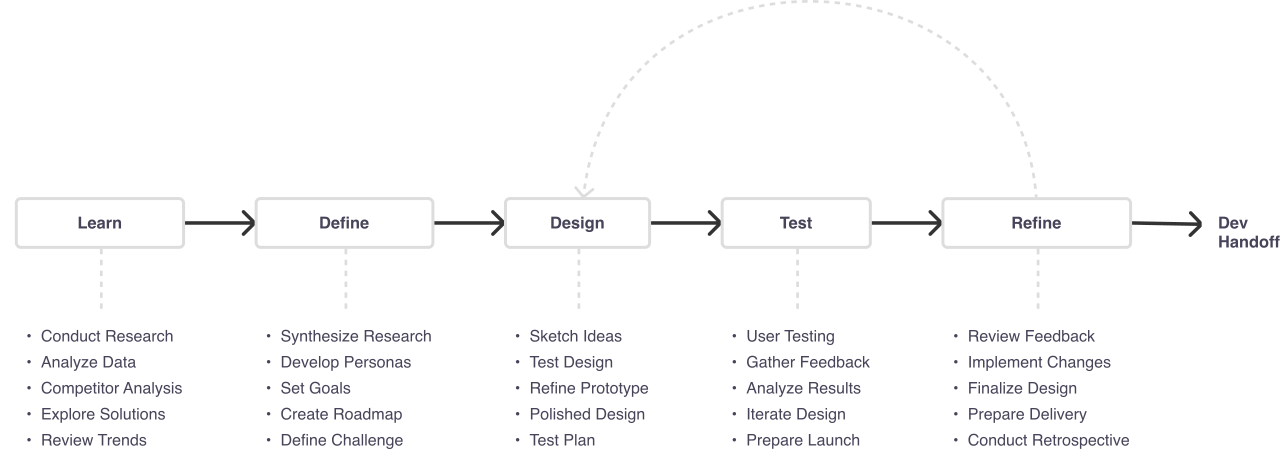
Design process: Learn, Define, Design, Test, Refine, then Dev Handoff, with an iteration loop from Refine back to Design. Each step lists its tasks below it.

Research

Research was a key part of our design process, as it allowed us to gain a deep understanding of our users' needs and pain points. We performed user interviews, surveys, journey sessions, and user behavior tracking to gather insights, and used this information to inform our design decisions.

User Interviews

One to one sessions with the target personas, digging into how importing actually went rather than how it was supposed to go.

Surveys

Wider input to check whether the frustrations raised in interviews were common or particular to one business.

Focus Groups

Group sessions with target personas, useful for hearing owners react to each other rather than to us.

Behaviour Tracking

Watching what people did in the product, which is where the gap between what users say and what they do shows up.


Working as a Team

I collaborated with other designers, developers, and product managers to ensure that we were all on the same page and working towards the same goals. This involved organizing regular meetings to discuss our progress, as well as being open to feedback and constructive criticism from one another. By working closely together, we were able to identify potential roadblocks and find solutions to them quickly, which helped to keep the project moving forward.

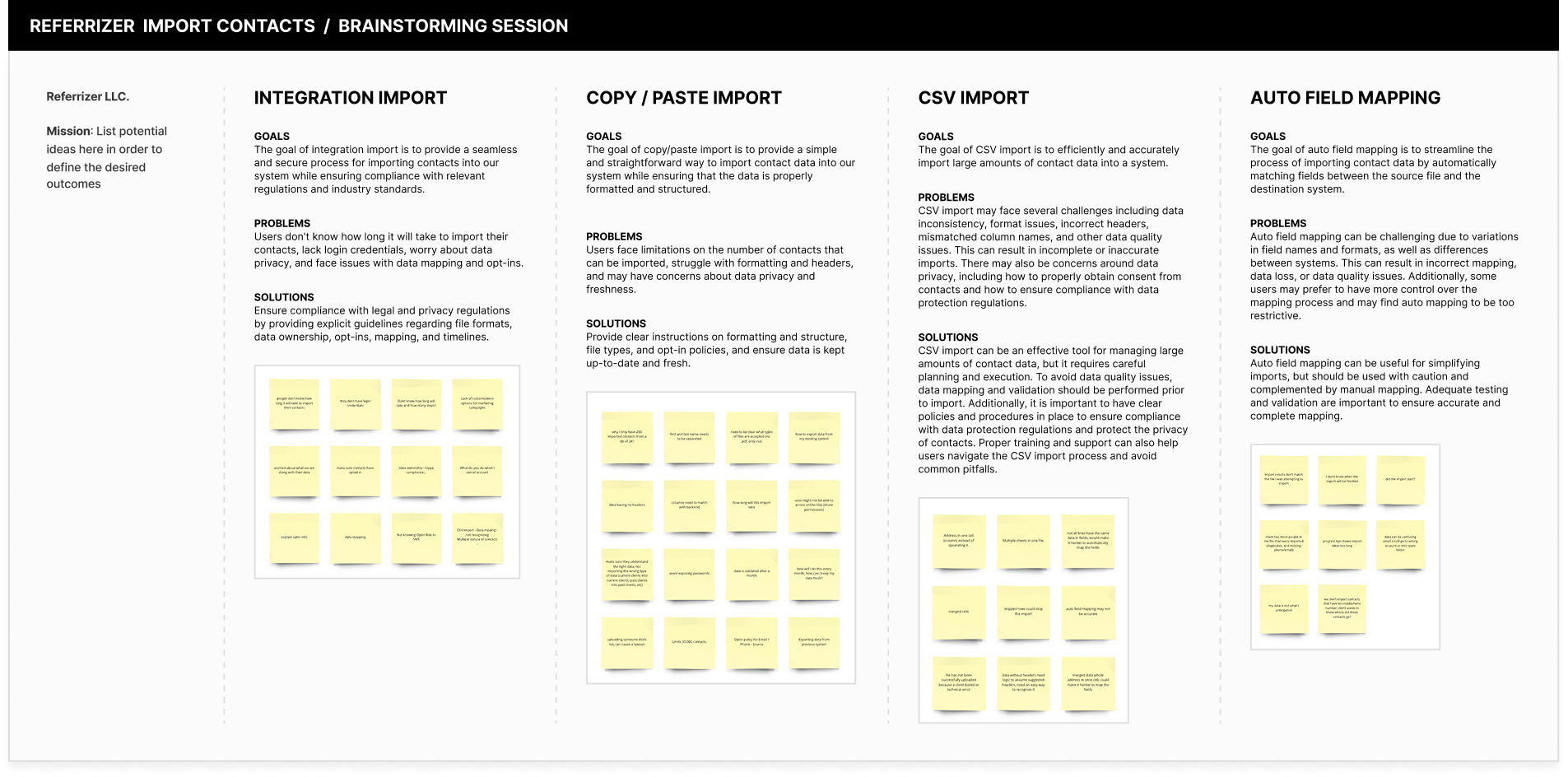
Brainstorm Session

One of the key aspects of this project was uncovering client pain points related to the process of importing contacts into the Referrizer system. To do this, we conducted extensive research, including one-on-one interviews, surveys, and focus groups with our target personas. Through this research, we were able to identify several pain points that were common among our target personas, such as the complexity of the process and the time-consuming nature of manually importing contacts.

We also discovered that many small business owners didn't have a clear understanding of how to properly clean and organize their contact lists, which led to issues with targeting and segmentation in their marketing campaigns. Armed with this information, we were able to design a solution that addressed these pain points by simplifying the import process and providing tools to help users clean and organize their contact lists.

Referrizer brainstorming session showing integration import, copy/paste import, CSV import, and auto field mapping categories with goals, problems, and solutions

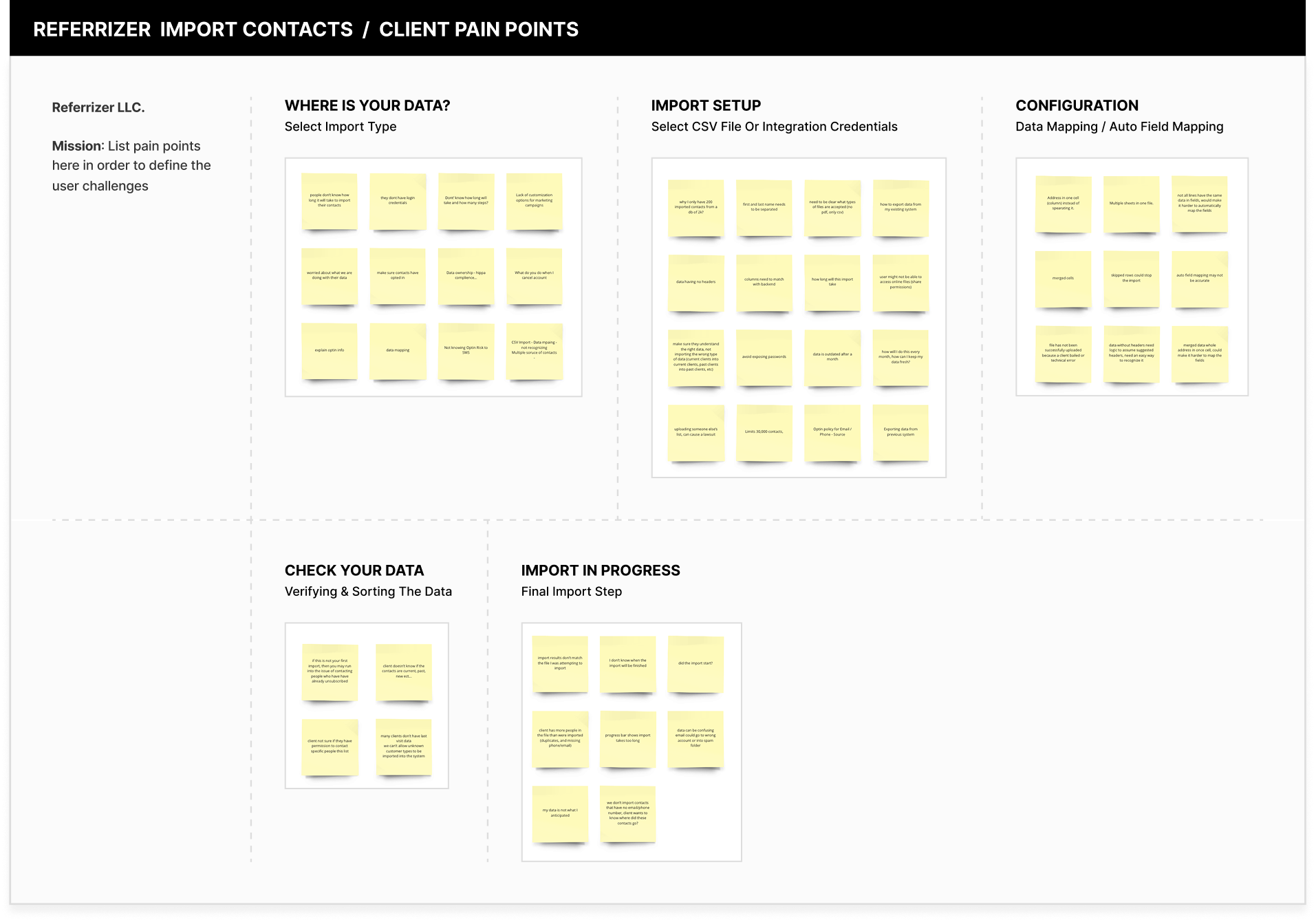
Client Pain Points

One of the key aspects of this project was uncovering client pain points related to the process of importing contacts into the Referrizer system. To do this, we conducted extensive research, including one-on-one interviews, surveys, and focus groups with our target personas. Through this research, we were able to identify several pain points that were common among our target personas, such as the complexity of the process and the time-consuming nature of manually importing contacts.

Referrizer client pain points organized by import stages: Where Is Your Data, Import Setup, Configuration, Check Your Data, and Import In Progress
The Referrizer team working together

One Team, Three Disciplines

Designers, developers and product managers working to the same goals, so the constraints were known before they became rework.

Regular Check-Ins

Standing meetings to talk through progress, which surfaced roadblocks while they were still cheap to solve.

Feedback Both Ways

Being open to critique from the rest of the team, and giving it back. Working closely is what kept the project moving.


Ideation

In the ideation stage, I used the insights gained from our research to come up with a range of ideas for how we could improve the contact import feature. I generated various concepts and narrowed them down to the most promising ones. I did some card sorting to help determine feature priorities, sketched out low-fidelity wireframes and user flows, and shared them with the team for feedback. We discussed each idea and selected the most promising ones to move forward with.


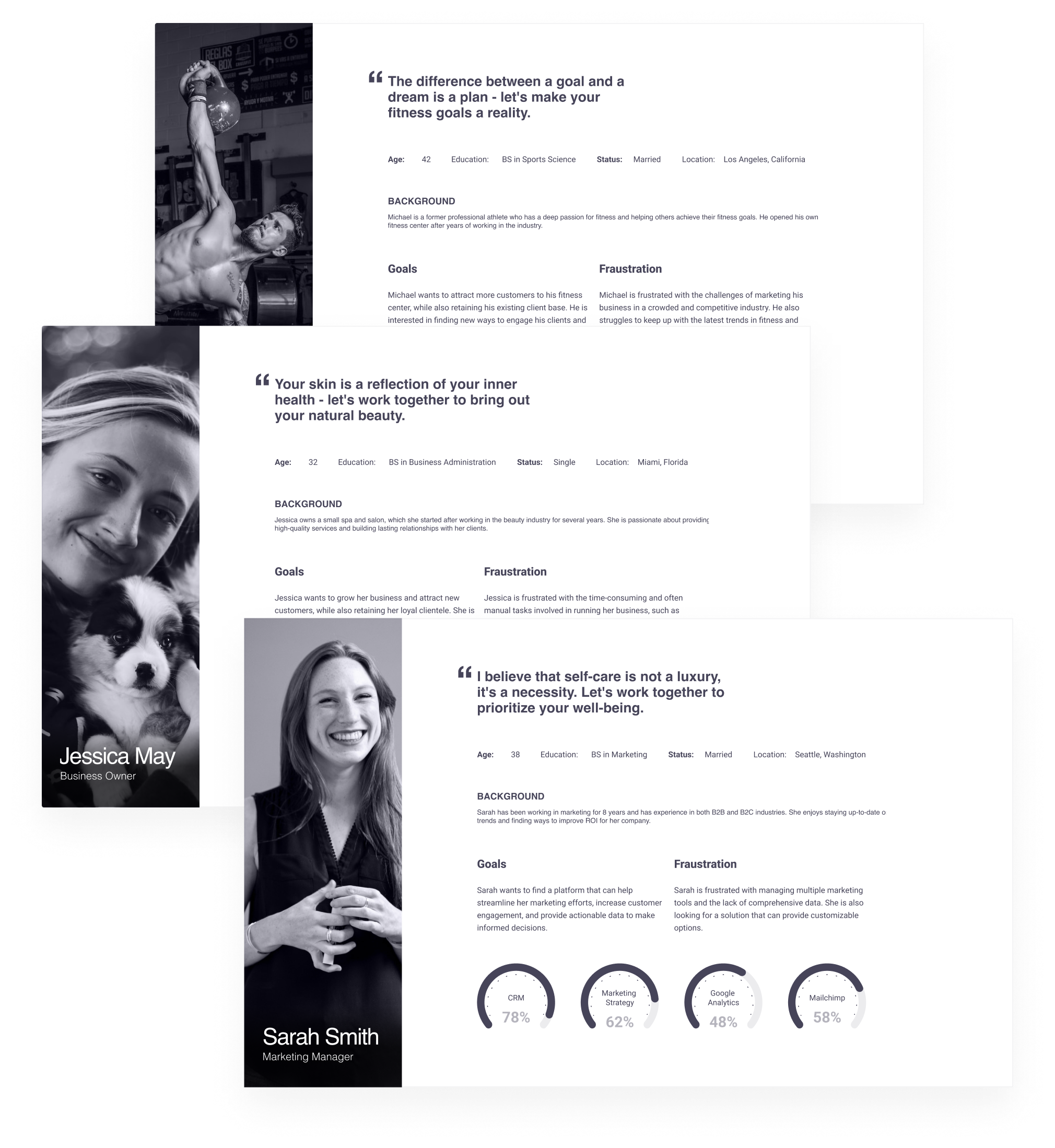
User Personas

I created detailed user personas that represented our target audience. These personas helped us to keep the user's needs and goals in mind as we continued to design and develop the feature. The personas were based on data we gathered during our research, including demographic information, behavior patterns, and pain points. We used the personas as a reference point throughout the design process, constantly asking ourselves if the features we were developing would meet the needs of our target audience.

User personas for Referrizer: Michael (fitness center owner), Jessica May (spa business owner), and Sarah Smith (marketing manager) with their backgrounds, goals, and frustrations

User Journey

The user journey session allowed us to map out the entire user experience, from the data location stage to the final import stage. We identified each touchpoint along the way and mapped out the user's emotional state at each point. This exercise helped us to identify areas where the user experience was less than ideal and where we could improve the overall flow of the platform. I developed a user journey map that visualized the steps a user would take to import their contacts. The journey map helped us to identify pain points and areas where we could improve the user experience. By looking at the user's journey as a whole, we were able to see the big picture and make informed decisions about how to improve the contact import feature. We also used the user journey map to prioritize the features that we would include in the first version of the product.

Stage
Step 1
Select Import Type
Step 2
Select CSV / Add Credentials
Step 3
Confirmation & Auto Field Mapping
Step 4
Verifying & Sorting The Data
Step 5
Import The Data
Emotions
Confused, sad
Excited, curious
Angry,
disappointed
Happy
Sad, frustrated
Goals

1A. Upload your contacts.

1B. Know if manually importing or auto syncing.

1C. Integrations establishing.

1D. Contact importing.

1E. Turn on the integration for auto check-ins and auto import.

2A. Make a universal import for everybody.

2B. Make data transfer easy.

2C. Get relevant data in.

2D. Start getting results today / using the system.

3A. Simplify the process of data mapping.

3B. Ensure contact data is matched from their system to our system.

3C. Get rid of unnecessary data types/fields.

3D. Create custom fields.

3E. Simplified easy decision (minimum number of decisions = better).

4A. Make sure data is not broken.

4B. Checking for corrupt or broken files.

4C. Ensure the contacts are subscribed to the list.

4D. Segment contacts into groups.

4E. Make sure customer type is identified.

5A. Meet expectation of the user.

5B. Import it fast.

5C. Know the progress of import (how long it will take?).

5D. Import multiple files simultaneously.

5E. Give chance to reverse the import (undo).

Pain Points

1A. People don't know how long it will take to import their contacts.

1B. They don't have login credentials.

1C. Worried about what we are doing with their data.

1D. Make sure contacts have opted in.

1E. Explain opt-in, data mapping.

1F. Don't know how long it will take and how many steps.

1G. Data ownership.

2A. Why I only have 200 imported contacts from a db of 2k?

2B. First and last name needs to be separated.

2C. Need to be clear what types of files are accepted (no pdf, only csv).

2D. How to export data from my existing system.

2E. Columns need to match with backend.

2F. How long will this import take.

3A. Address in one cell (column) instead of separating it.

3B. Multiple sheets in one file.

3C. Not all lines have the same data.

3D. Merged data whole address in one cell, could make it harder to map the fields.

3E. Auto field mapping may not be accurate.

3F. Data without headers need logic to assume suggested headers.

4A. Client not sure if they have permission to contact specific people.

4B. If this is not your first import, you may run into the issue of contacting people who have already unsubscribed.

4C. Client doesn't know if the contacts are current, past, new, etc.

4D. Many clients don't have last visit data.

5A. My data is not what I anticipated.

5B. Import results don't match the file I was attempting to import.

5C. I don't know when the import will be finished.

5D. Client has more people in the file than were imported (duplicates, missing phone/email).

5E. Progress bar shows import takes too long.

5F. Email could go to wrong account or into spam folder.

Thoughts

1A. "Who can see my data?"

1B. "Where can I see my contacts?"

1C. "My database sucks, not structured properly."

1D. "How long will it take to import larger data sets?"

1E. "My data is old/outdated."

1F. "Do you validate my data? Email validation?"

1G. "I don't have time for this."

2A. "Should I wait for the import or come back later?"

2B. "I don't have permission to access this online file."

2C. "The file is locked / not available publicly."

2D. "Why do I need to segment clients into current and past clients?"

2E. "Are my passwords protected?"

2F. "How often do I need to import my data?"

3A. "Client not sure if they have permission to contact specific people on this list."

3B. "If this is not your first import, you may run into the issue of contacting people who have already unsubscribed."

3C. "Client doesn't know if contacts are current, past, new, etc."

4A. "Can I get fined for contacting people without their permission?"

4B. "What happens if I accidentally reach out to an unsubscribed customer?"

4C. "What should I choose as default if I don't have the last visit data?"

5A. "I started the process, is my data getting imported?"

5B. "What happened to the contacts with no phone or email?"

5C. "Did I import the right file? Where is the file name?"

5D. "I don't understand the way you report the data."

5E. "The data doesn't match what I was expecting."

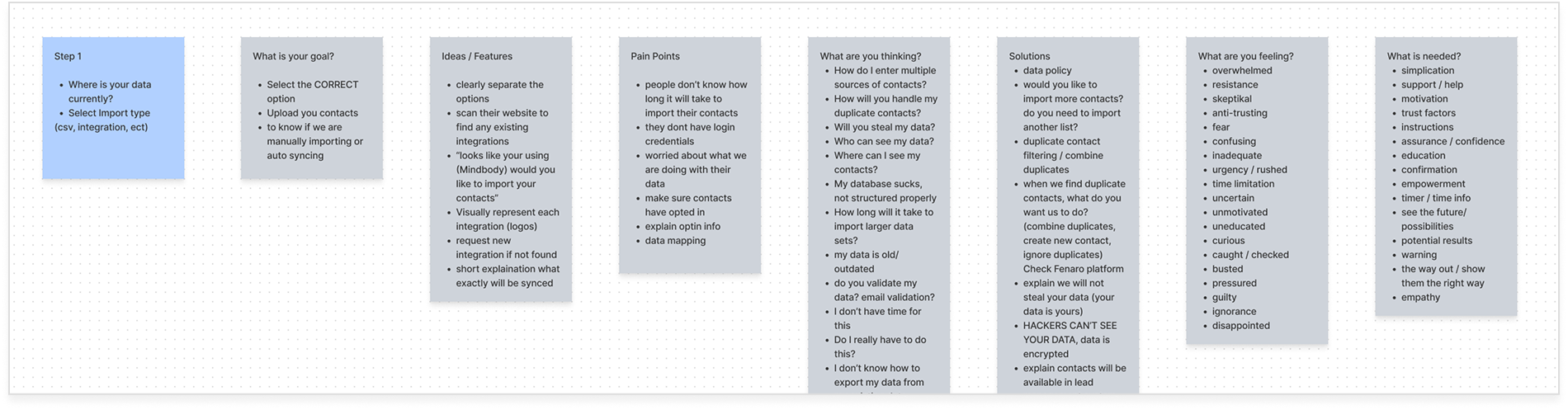
Journey Steps

Once we had identified the touch points in the user journey, we created a detailed breakdown of each step involved in the process. This allowed us to identify areas where users might become confused or frustrated, and to make changes to the platform that would alleviate those pain points.

Journey Step 1: Where is your data currently - breakdown of goals, ideas, pain points, thoughts, solutions, feelings, and what is needed

Journey Data

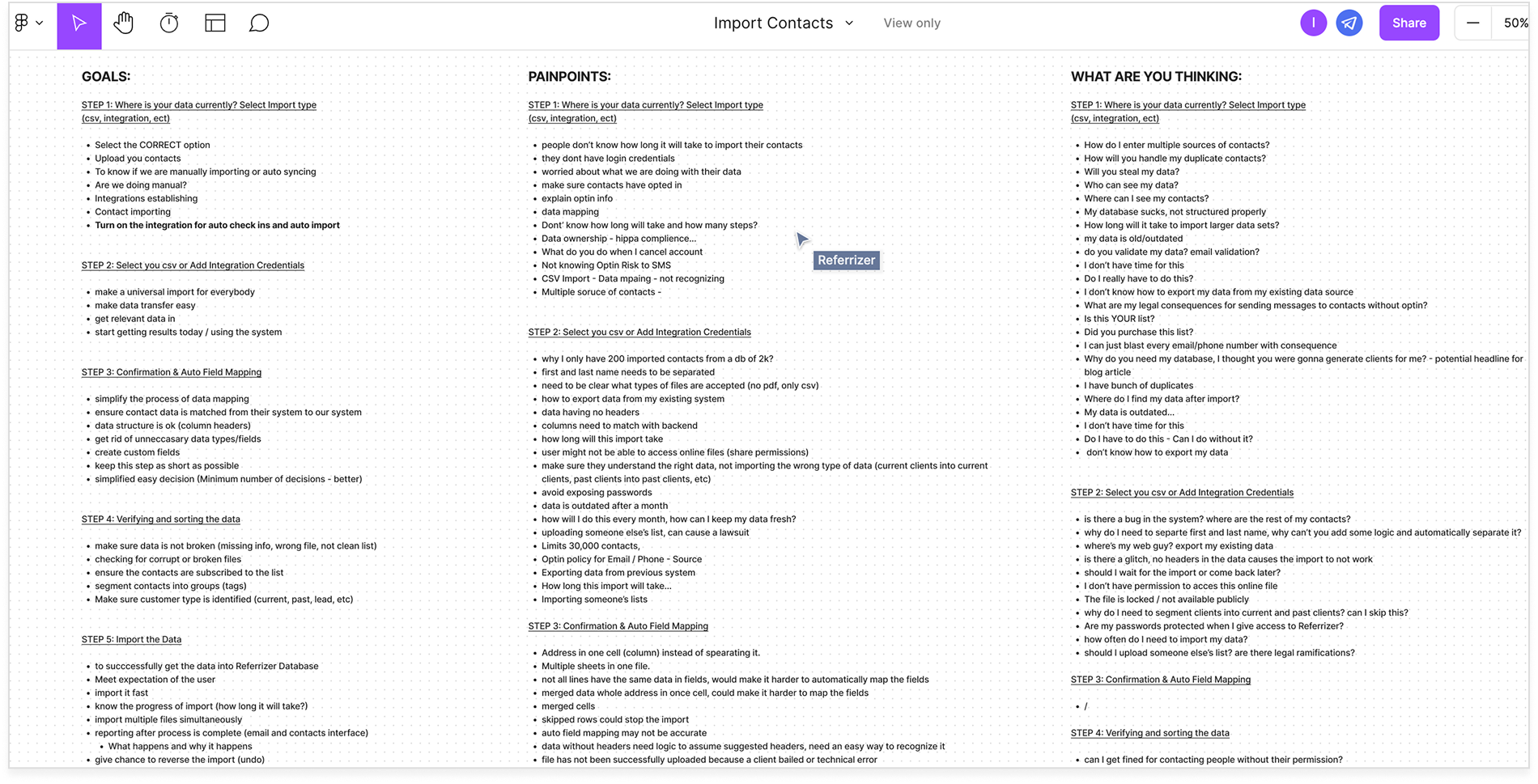
To supplement our user research, we collected data on user goals, pain points, and thought processes for each step in the journey. We then used this data to create a detailed user journey map that highlighted key touchpoints, pain points, and opportunities for improvement. The user journey map helped us to understand the user's perspective and identify areas where we could improve the experience.

By analyzing the user journey, we were able to identify areas where the user may experience frustration or confusion and make adjustments to the design to ensure a more seamless experience. This was an essential step in our design process, as it allowed us to validate our assumptions and make data-driven decisions to improve the user experience.

Detailed journey session notes showing goals, pain points, and user thoughts for each import step

Journey Notes

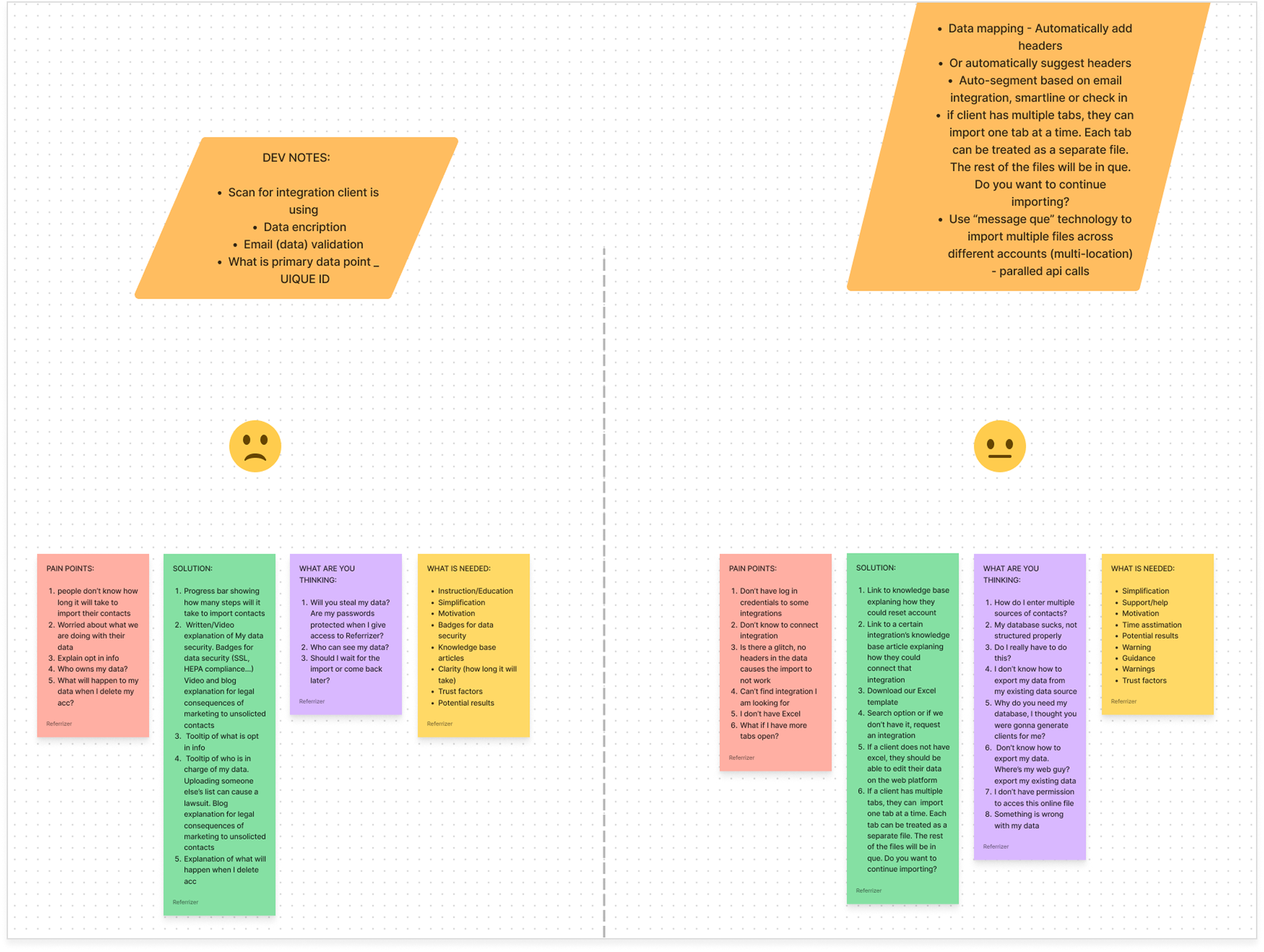
We pasted notes from the journey session into the user flows to help understand how the user's goals and pain points related to the actual flow of the interface. By doing this, we were able to identify areas where the user may experience frustration or confusion, and make adjustments to the design to ensure a more seamless experience.

Journey data breakdown showing dev notes, pain points, solutions, user thoughts, and emotional states across import steps

Competitive Analysis

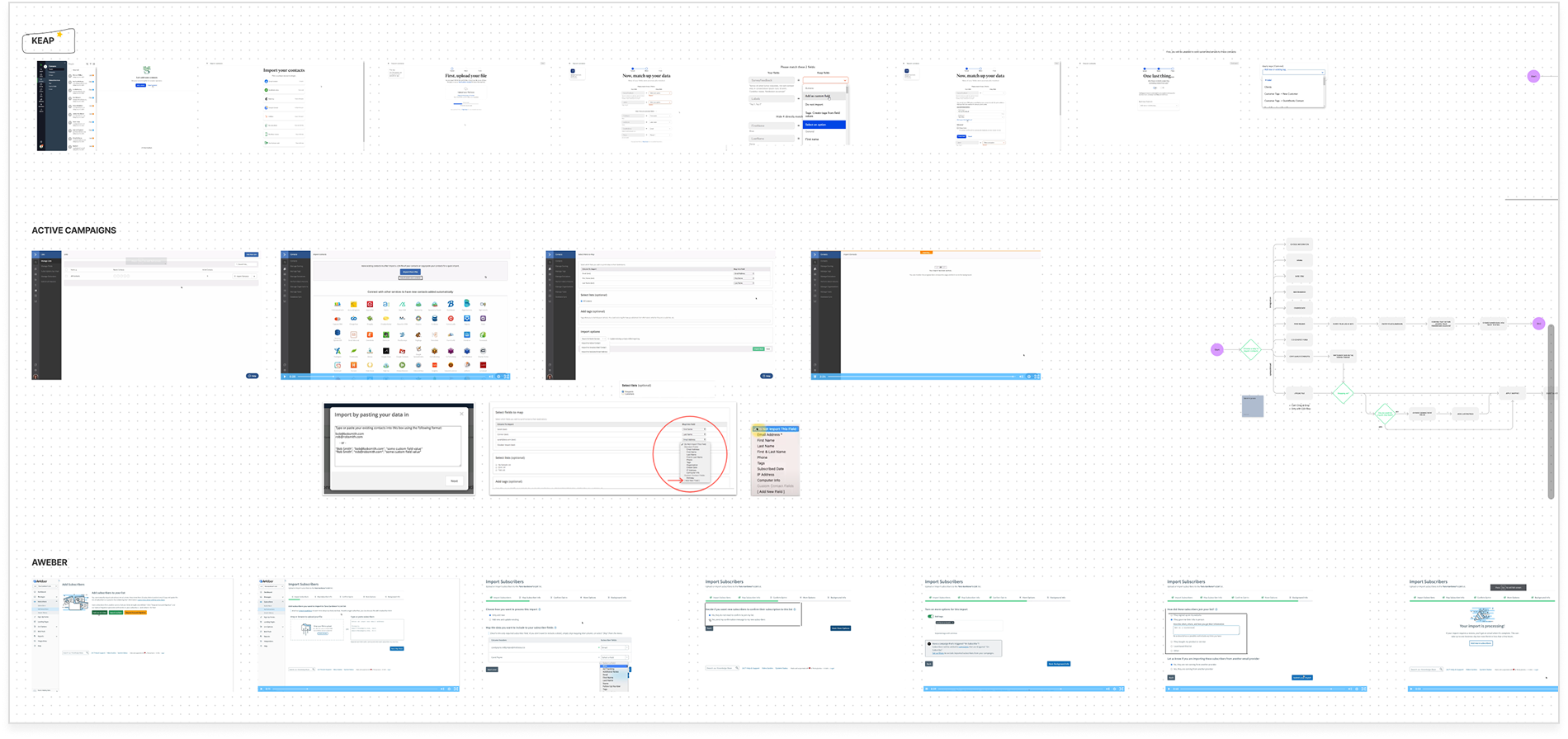
As part of our design process, we conducted extensive competitive analysis to gain insight into how other marketing automation systems handled the import contacts process. We analyzed a range of competitors to understand their features, functionalities, and overall user experience. Through our analysis, we were able to identify best practices, common pain points, and opportunities for improvement.

We paid close attention to how our competitors handled the import contacts process. We looked at factors such as the ease of use, the speed of the process, and the overall level of automation. We also analyzed the user feedback and reviews to gain a better understanding of how our target users felt about the process. By doing this, we were able to identify areas where our competitors were falling short and where we could differentiate ourselves.

Our analysis revealed that many of our competitors had complicated and time-consuming import processes that required extensive technical knowledge. This was a significant pain point for our target users who were non-tech small business owners looking for an intuitive and straightforward solution. As a result, we made sure that our import process was streamlined, automated, and required minimal technical knowledge. By conducting a thorough competitive analysis, we were able to identify opportunities for improvement and create a product that provided a better user experience than our competitors.
Competitive analysis showing import contact flows from Keap, Active Campaigns, and AWeber

Ease of Use

How much a competitor expected the user to already know. Most assumed technical knowledge our personas did not have.

Speed

How long the import took start to finish. Several were slow enough that a new user could stall before ever seeing value.

Automation

How much the product did on the user's behalf, and how much it handed back. This is where the clearest gap was.


Design Stage

Once we had a clear understanding of the user journey, I began creating detailed user flows which I would then convert into wireframes for each screen in the process. I used FigJam to create the user flows, and then created the wireframes using Figma, these wireframes helped to refine the user flow and get everyone on the same page before we moved on to creating the high-fidelity screens. During the design stage, I also created a design system to ensure that the design was consistent across all screens.

User Flow

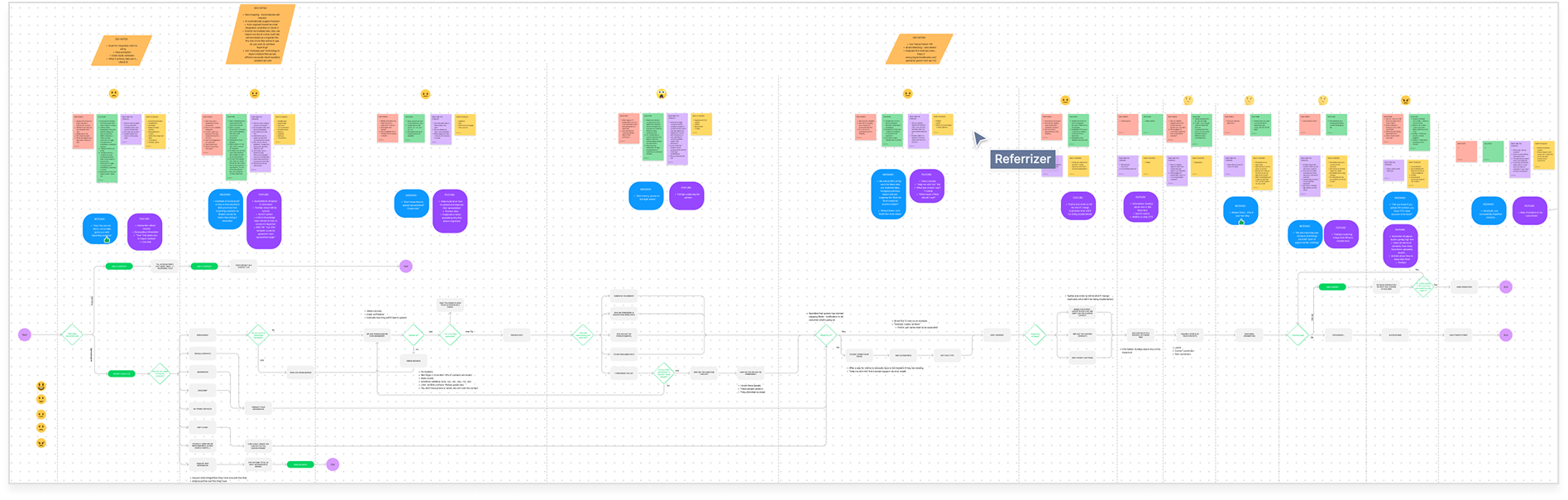
I created multiple iterations of the user flows, taking into account the feedback we had received from the team and making sure that the user flow was intuitive and easy to follow. To ensure that the user flow was efficient, I also eliminated any unnecessary steps and simplified the design wherever possible. I worked closely with the developers to make sure that the design was feasible and that the developers had a clear understanding of what needed to be built.

Detailed user flow diagram for the Referrizer import contacts process showing decision points, screens, and journey annotations

Wireframes

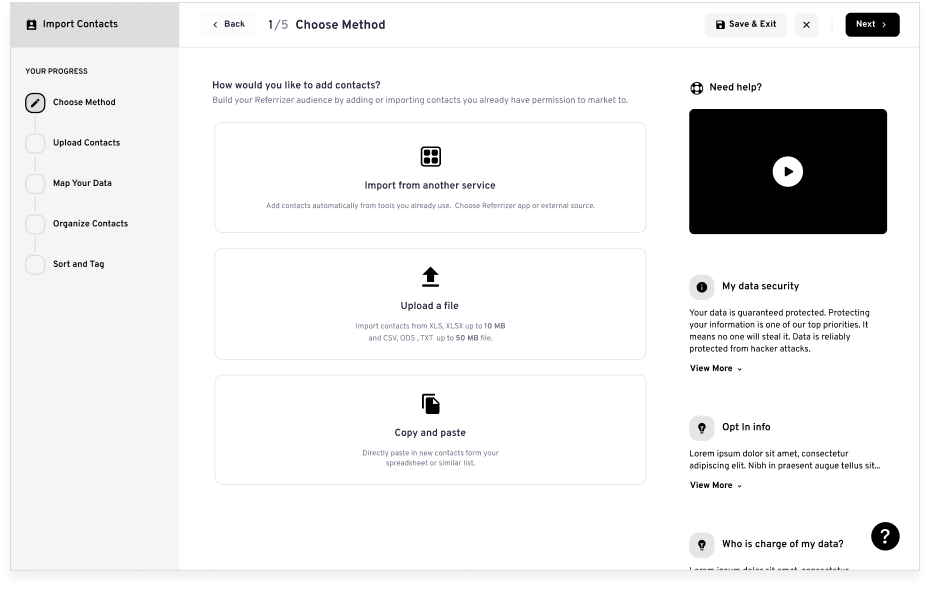
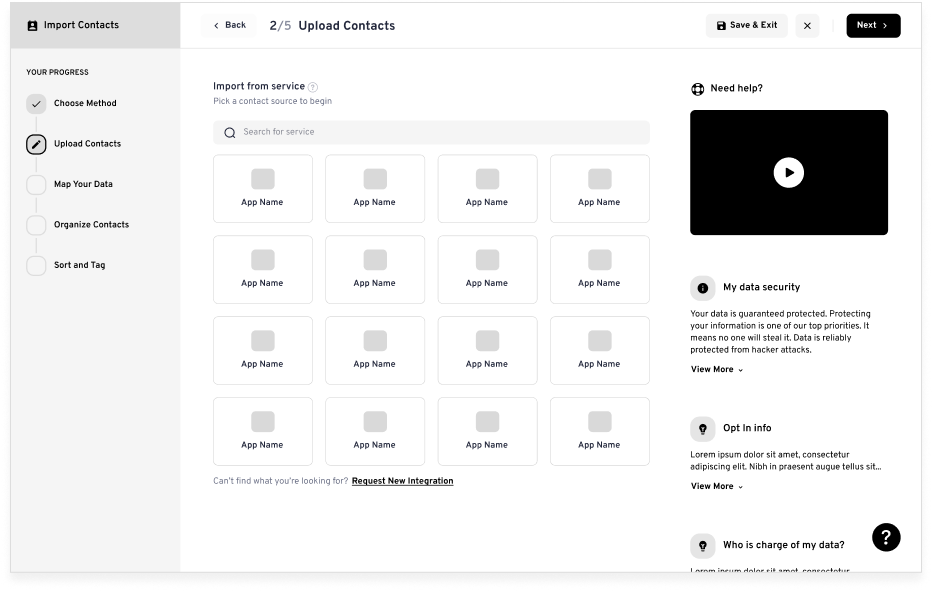
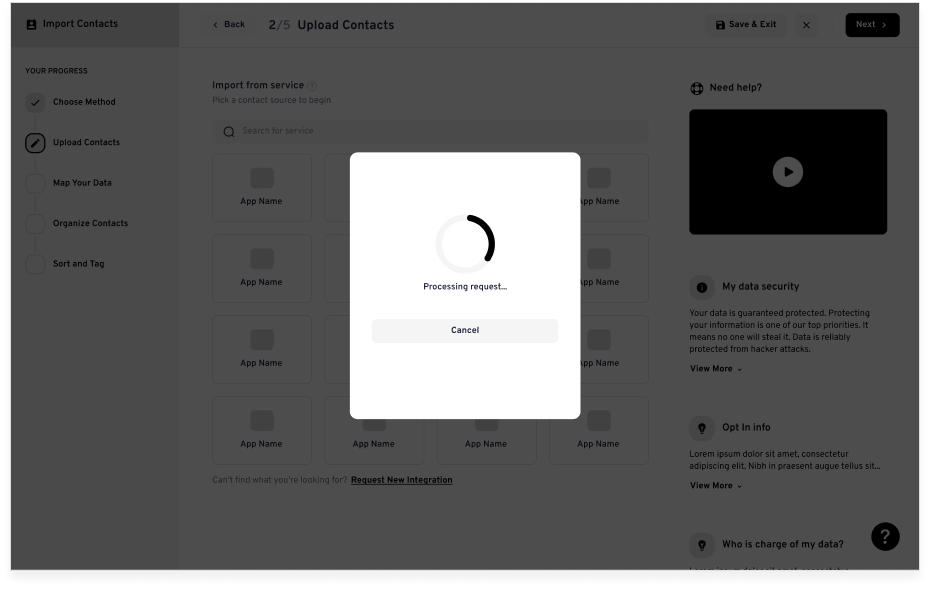
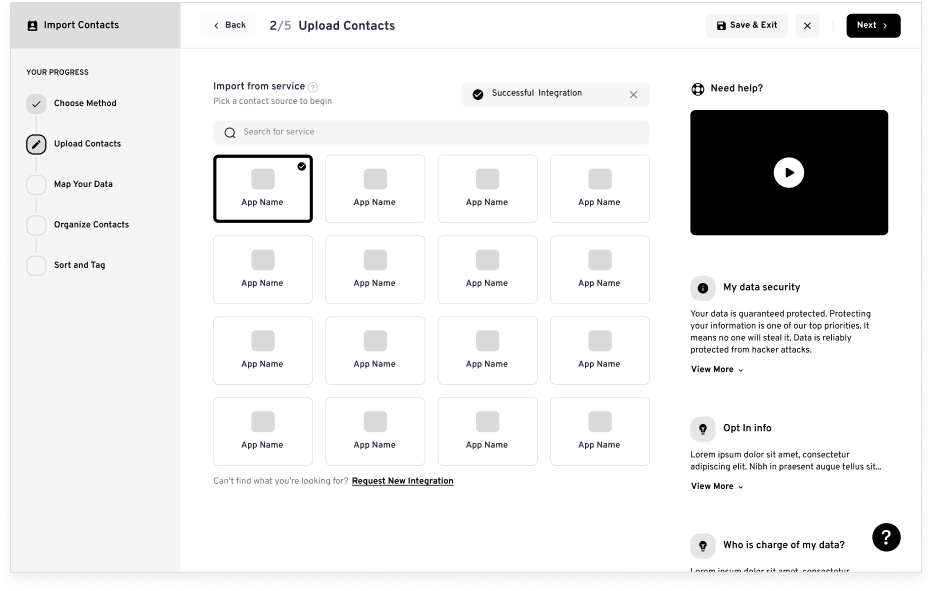
I created the wireframes as a visual representation of the user interface to plan out the layout, structure, and functionality of the product. We utilized these wireframes to explore different design options and identify any potential problems before moving into the design and development phase.

Wireframe: Step 1 - Choose Method
Wireframe: Step 2 - Upload Contacts, integration grid
Wireframe: Step 2 - Processing request
Wireframe: Step 2 - Successful integration with selected app
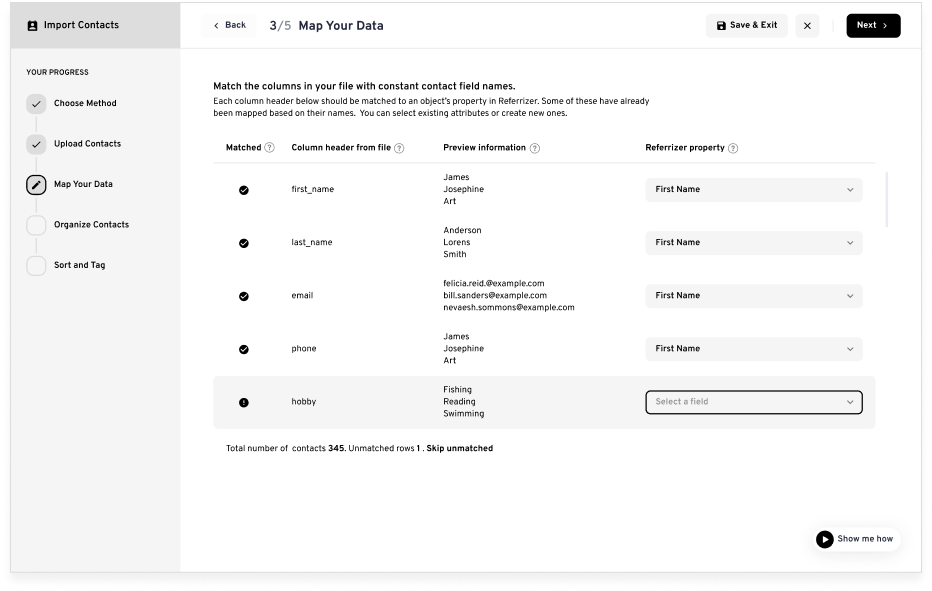
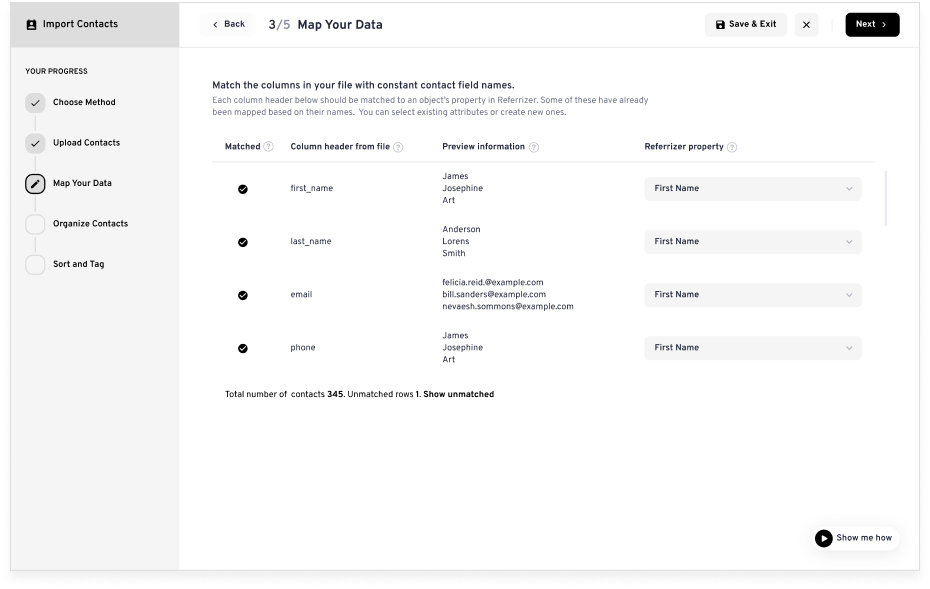
Wireframe: Step 3 - Map Your Data
Wireframe: Step 3 - Map Your Data, skip unmatched
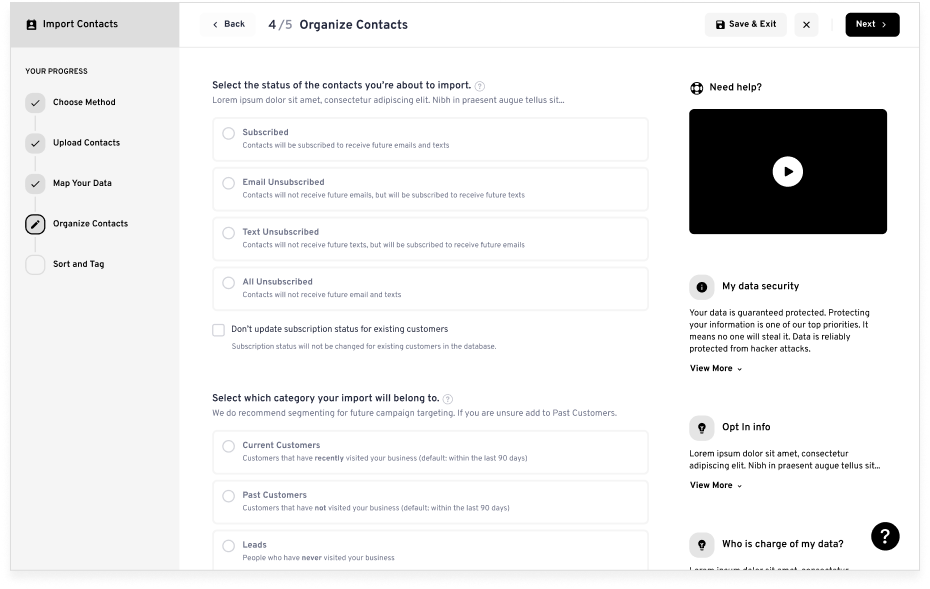
Wireframe: Step 4 - Organize Contacts
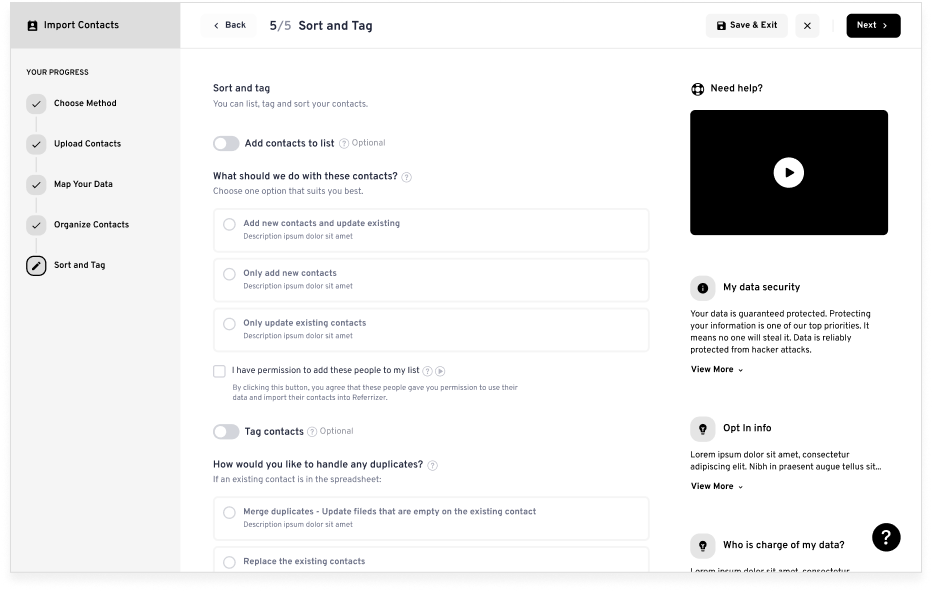
Wireframe: Step 5 - Sort and Tag
Wireframe: Import summary review
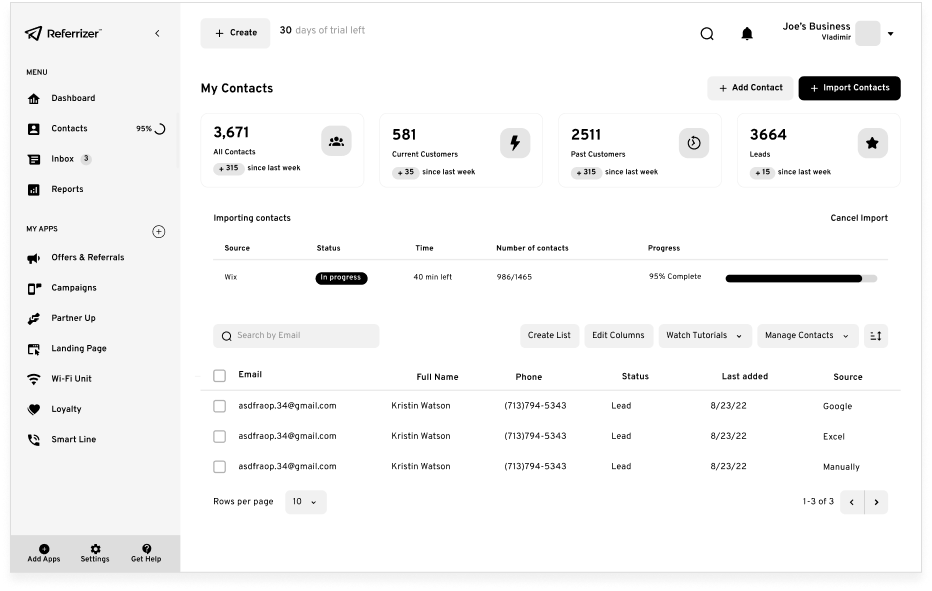
Wireframe: My Contacts dashboard after import

Design System

With the wireframes finalized, I developed a design system to ensure consistency across all screens and components. The design system included guidelines for typography, color, icons, and other design elements. By having a consistent design system, we could ensure that the user experience was seamless and that users could easily navigate the contact import feature. The design system was shared with the entire team, including developers who converted in into Angular.js components.

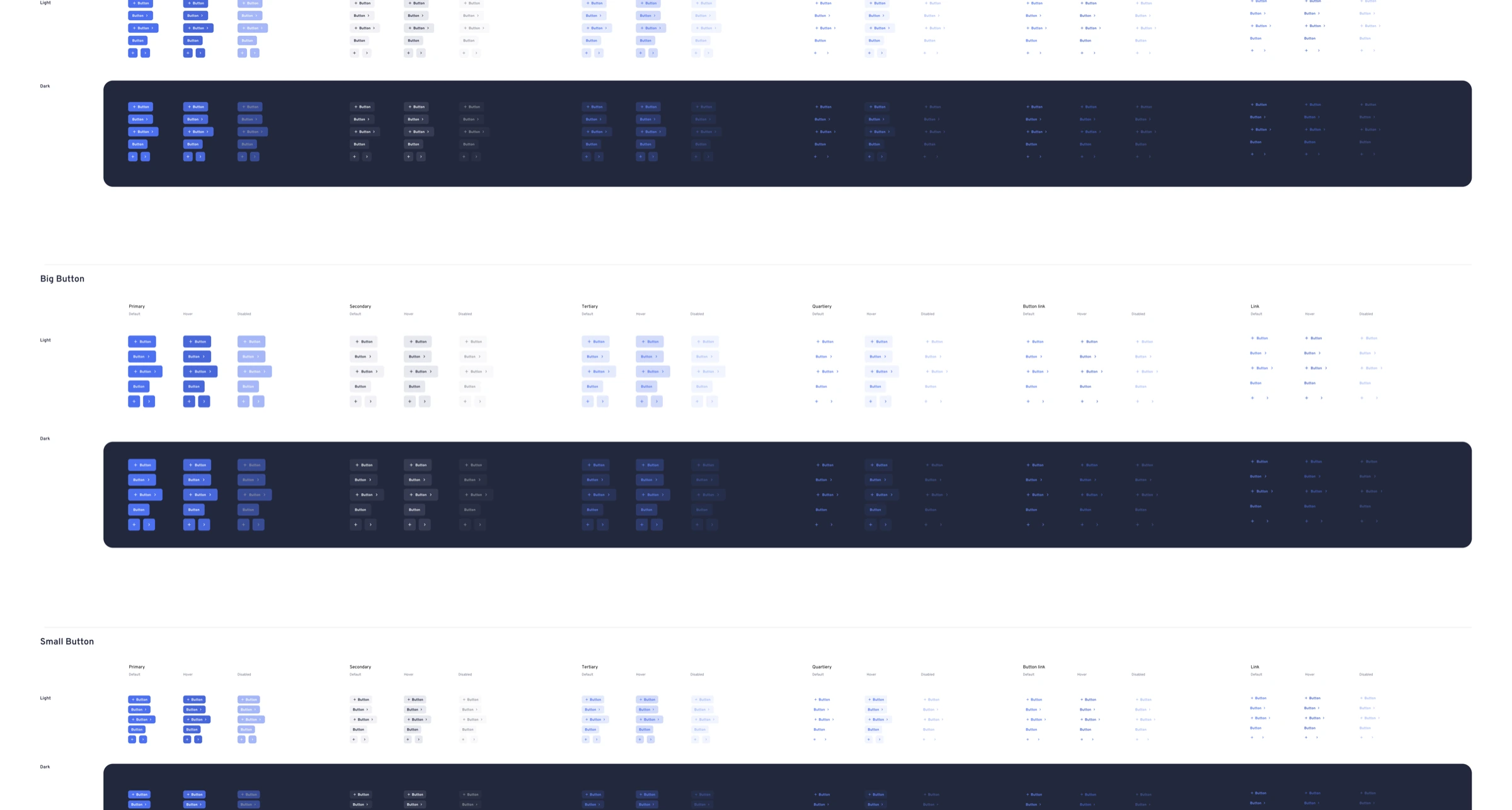
Button component system showing primary, secondary, tertiary variants in light and dark themes
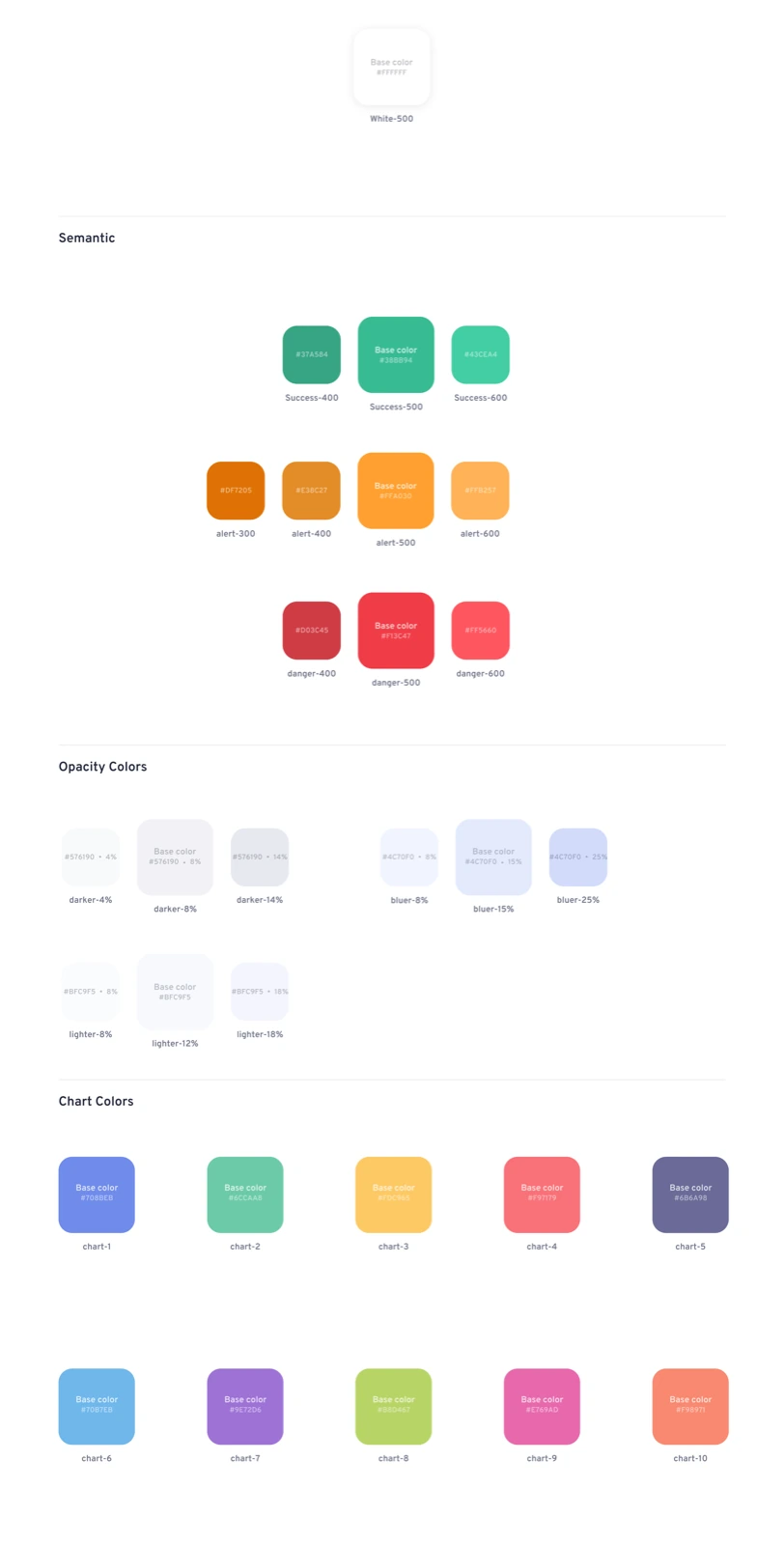
Color palette with semantic, opacity, and chart color tokens
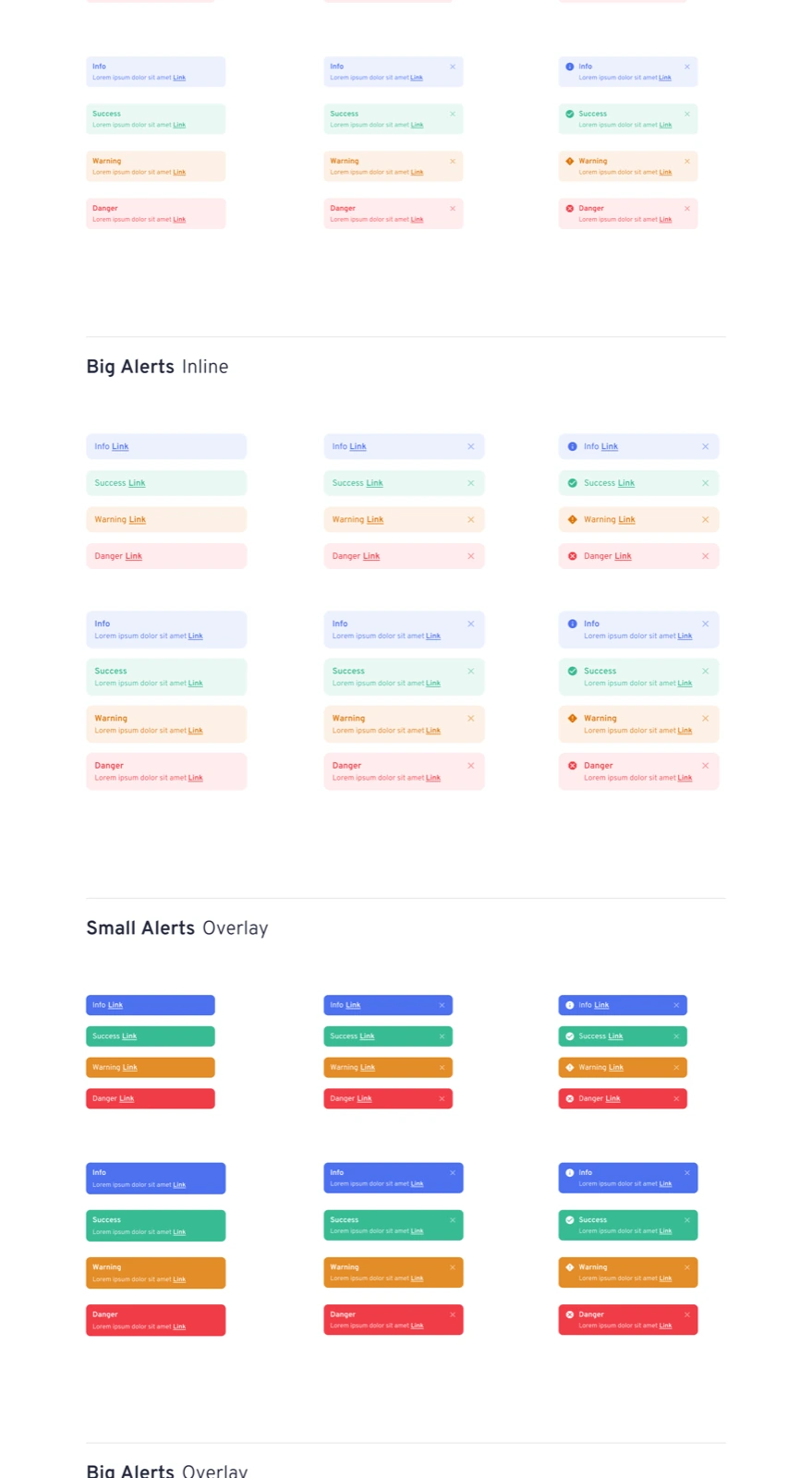
Alert components showing info, success, warning, and danger variants
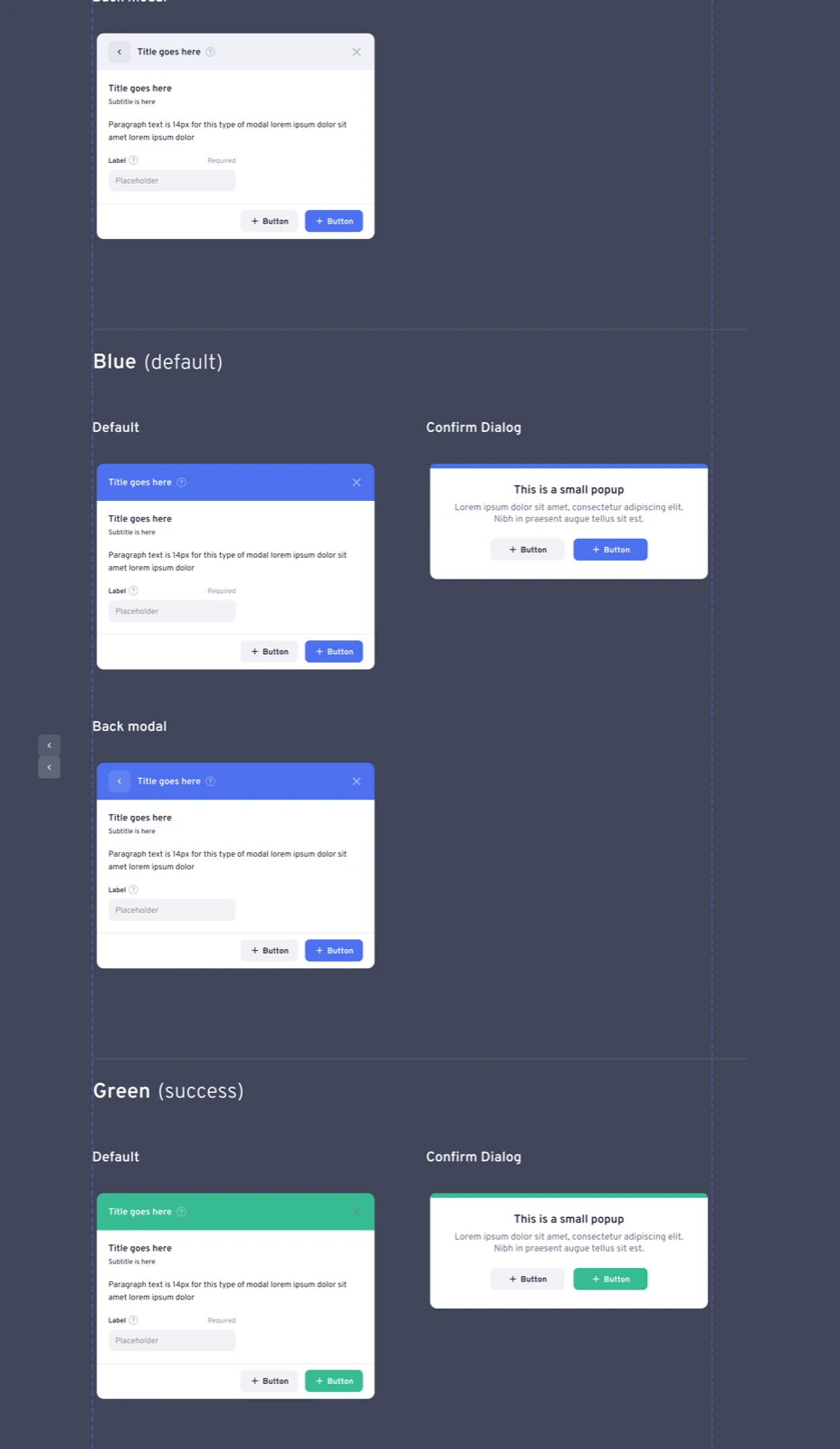
Modal dialog components in blue, green, and confirm dialog styles
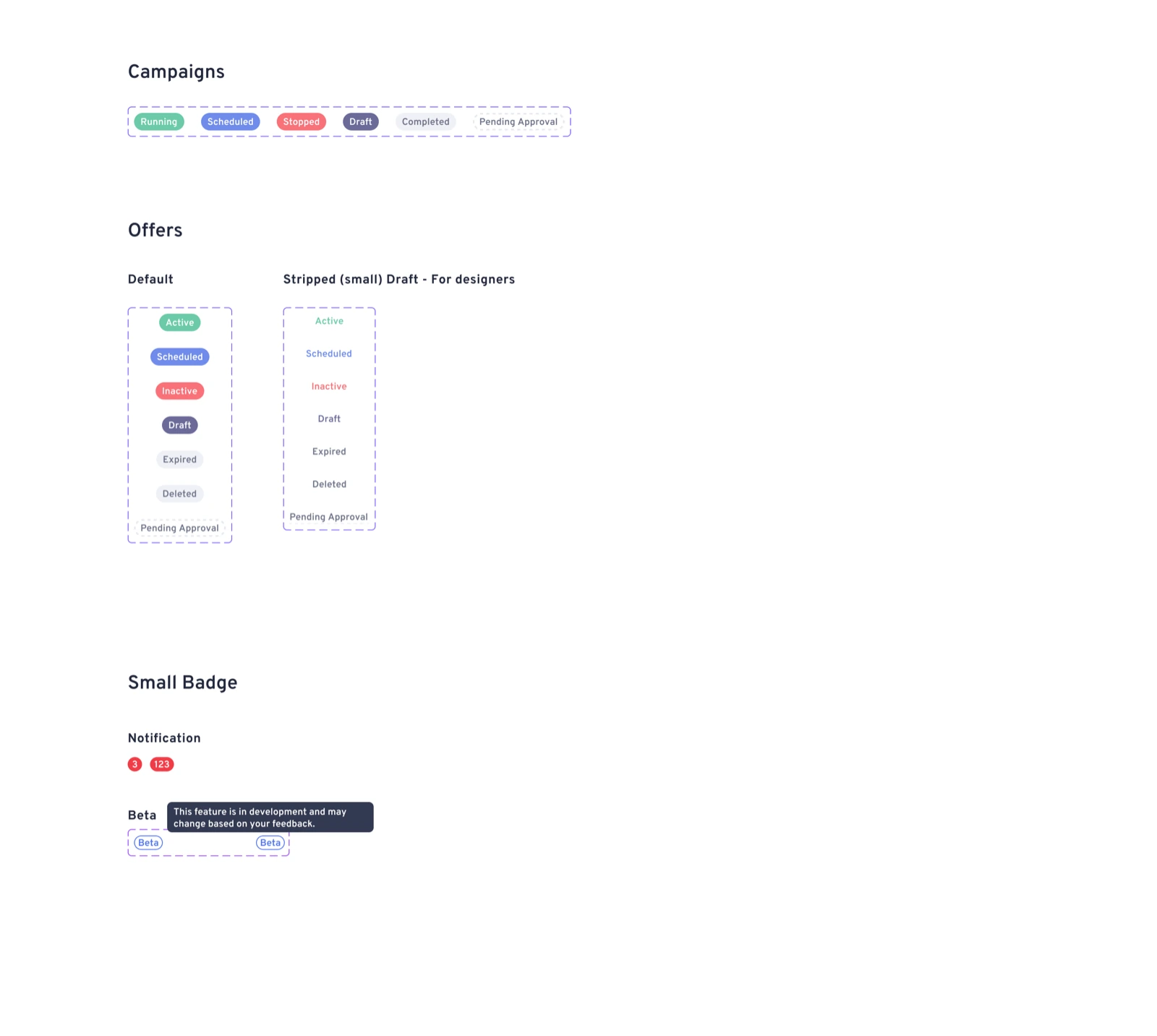
Badge components for campaigns, offers, and notifications
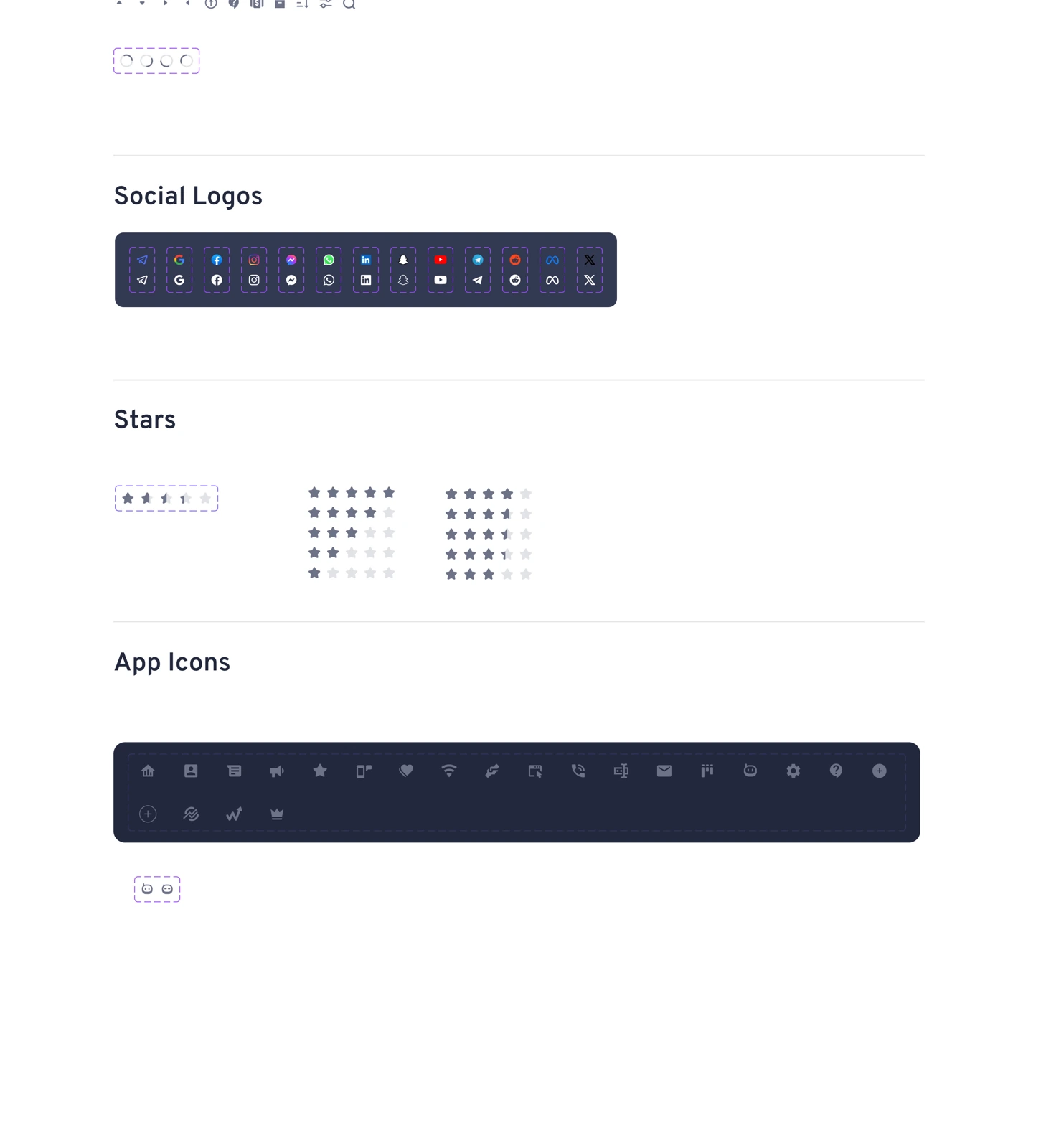
Icon library with social logos, star ratings, and app icons
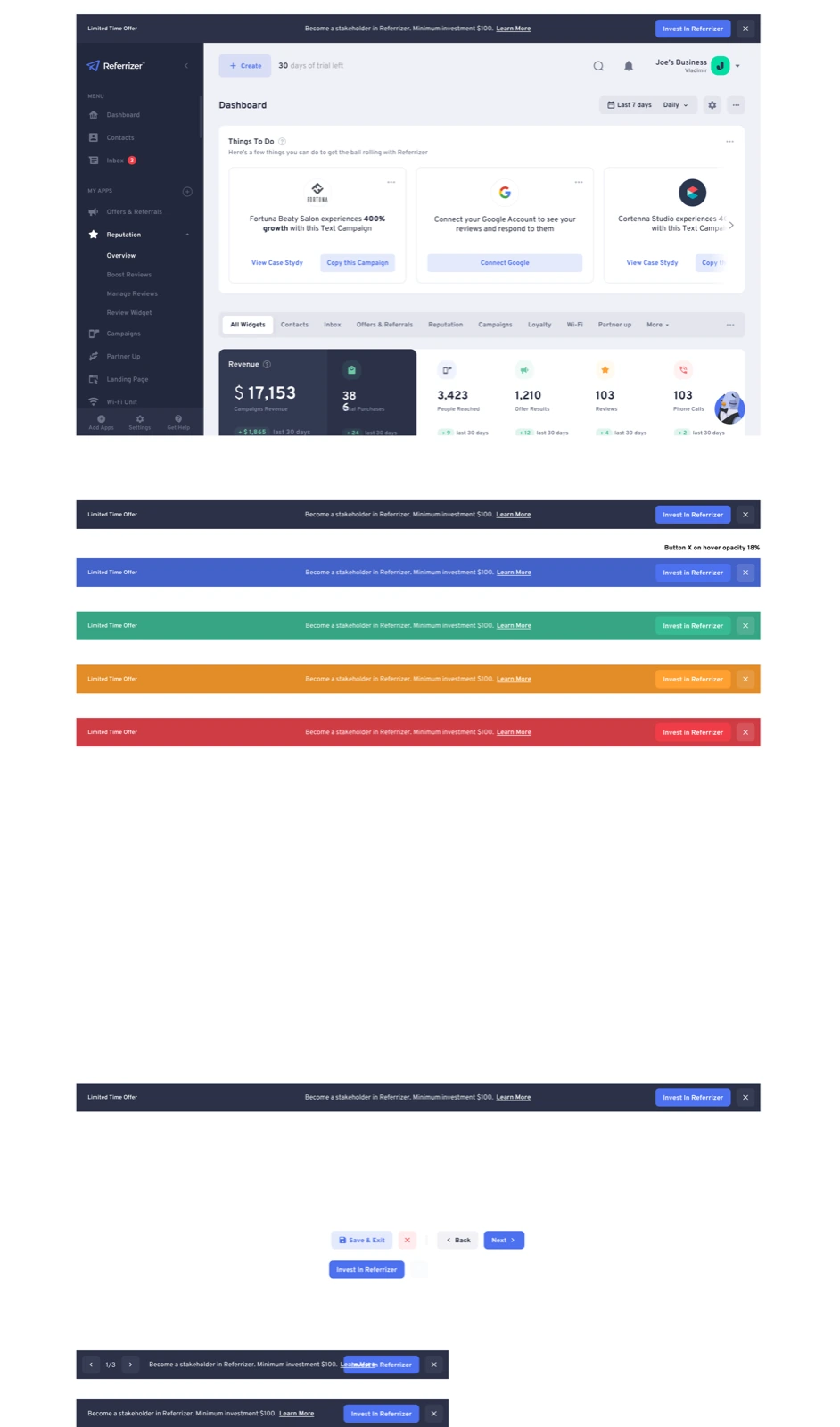
Dashboard layout with navigation, widgets, and banner components
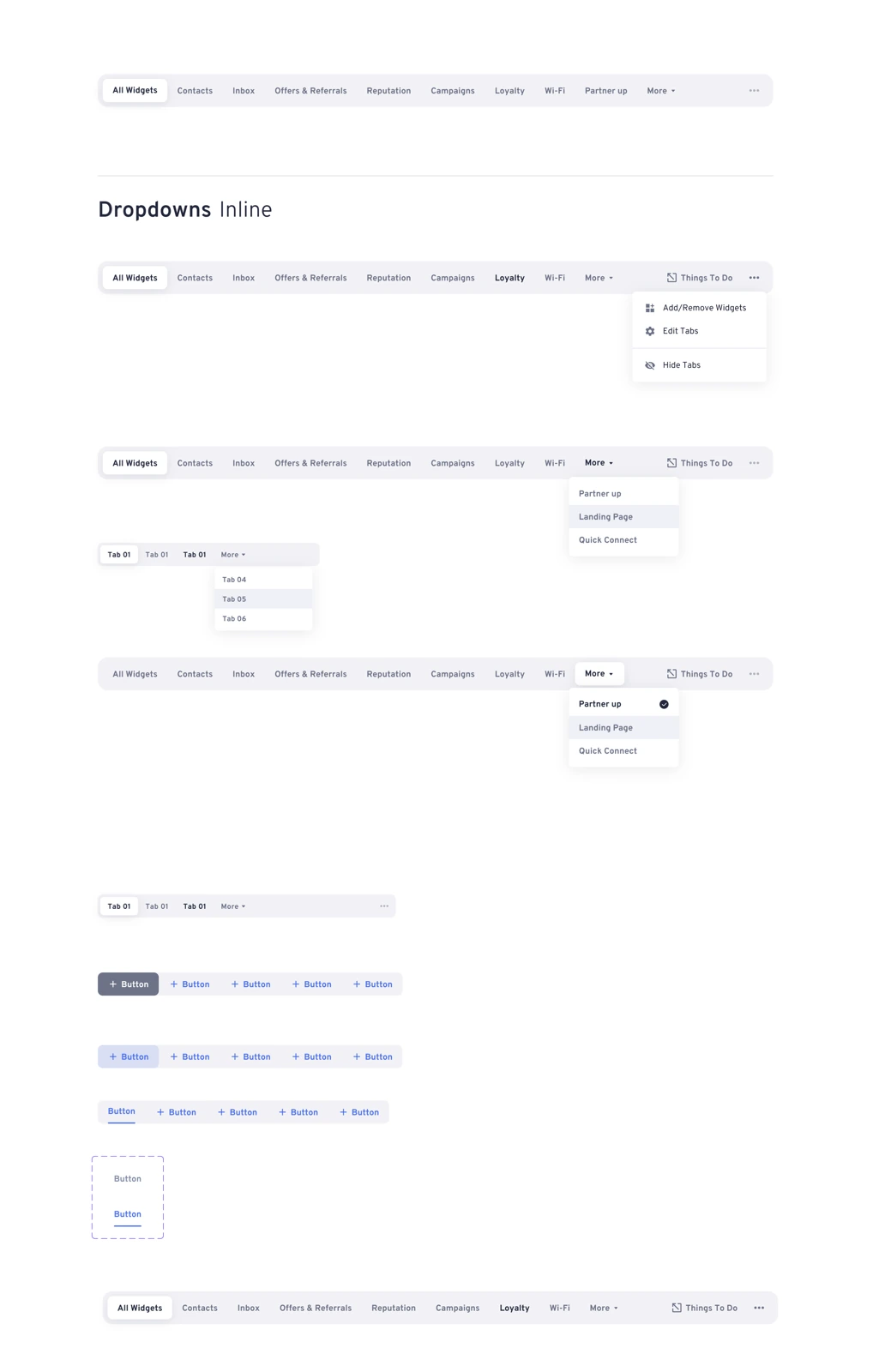
Tab navigation components with dropdown and inline variants

High Fidelity Screens

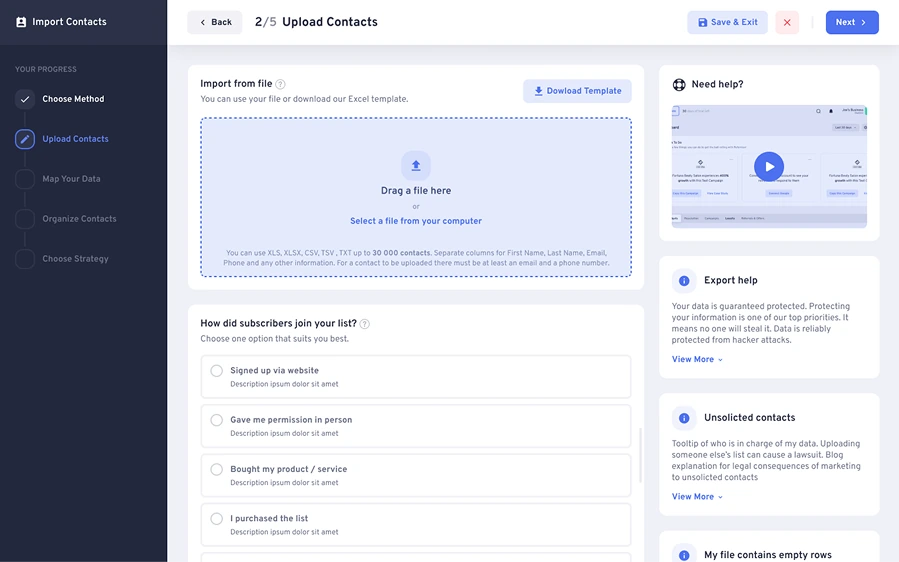
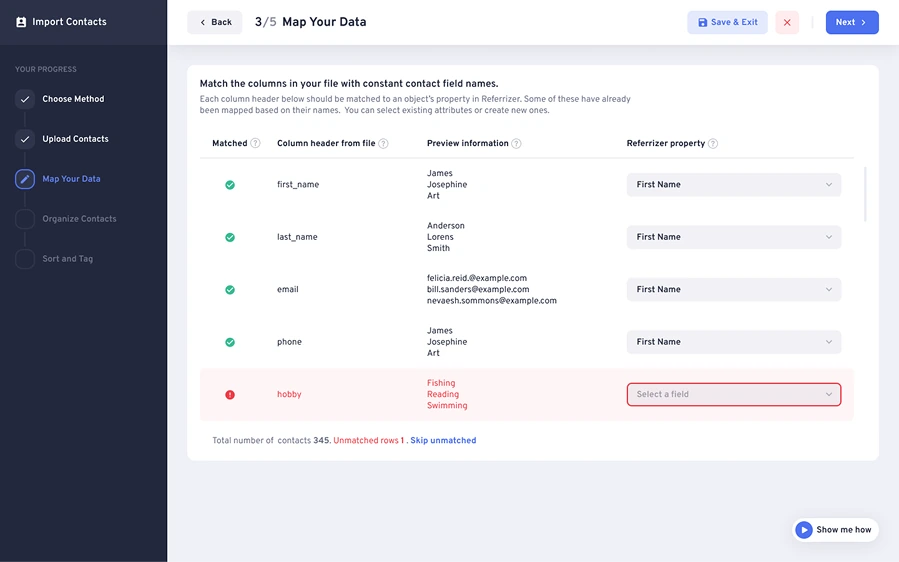
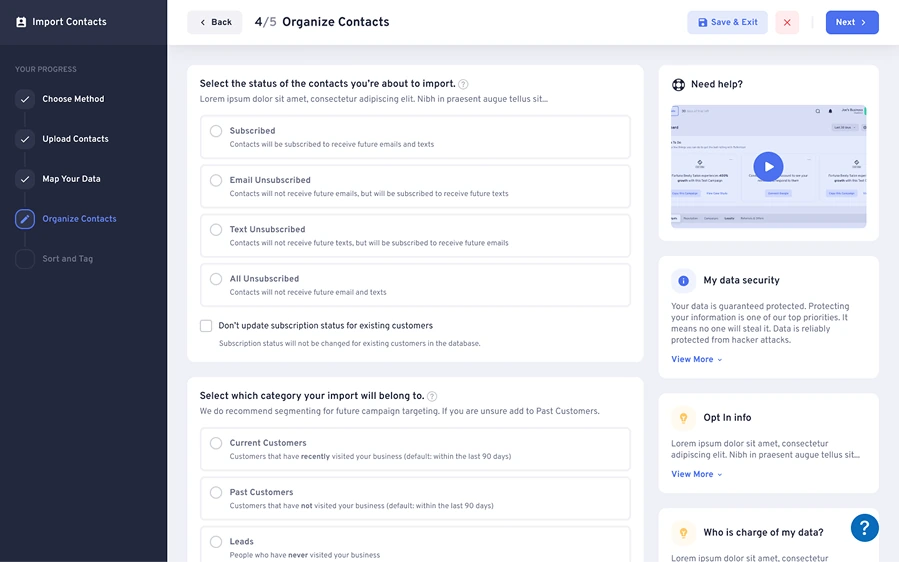
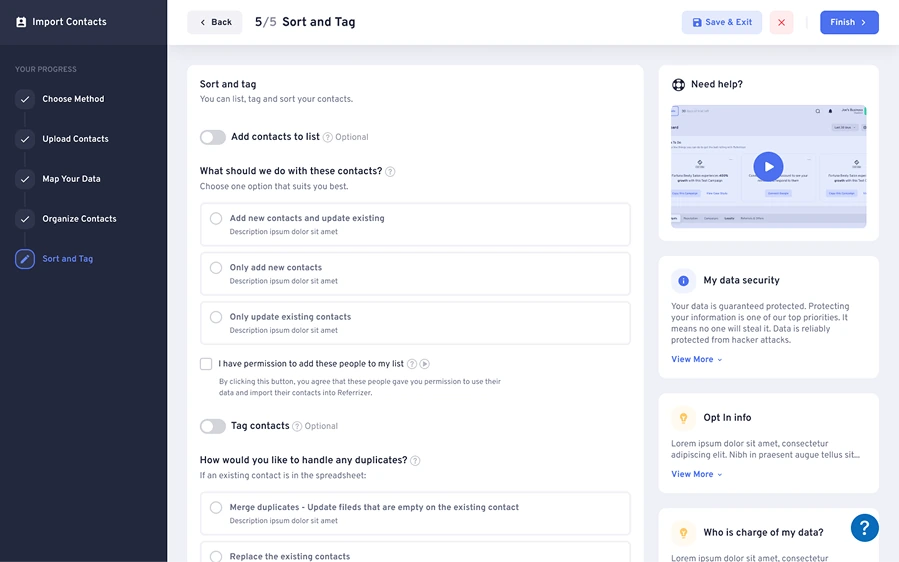
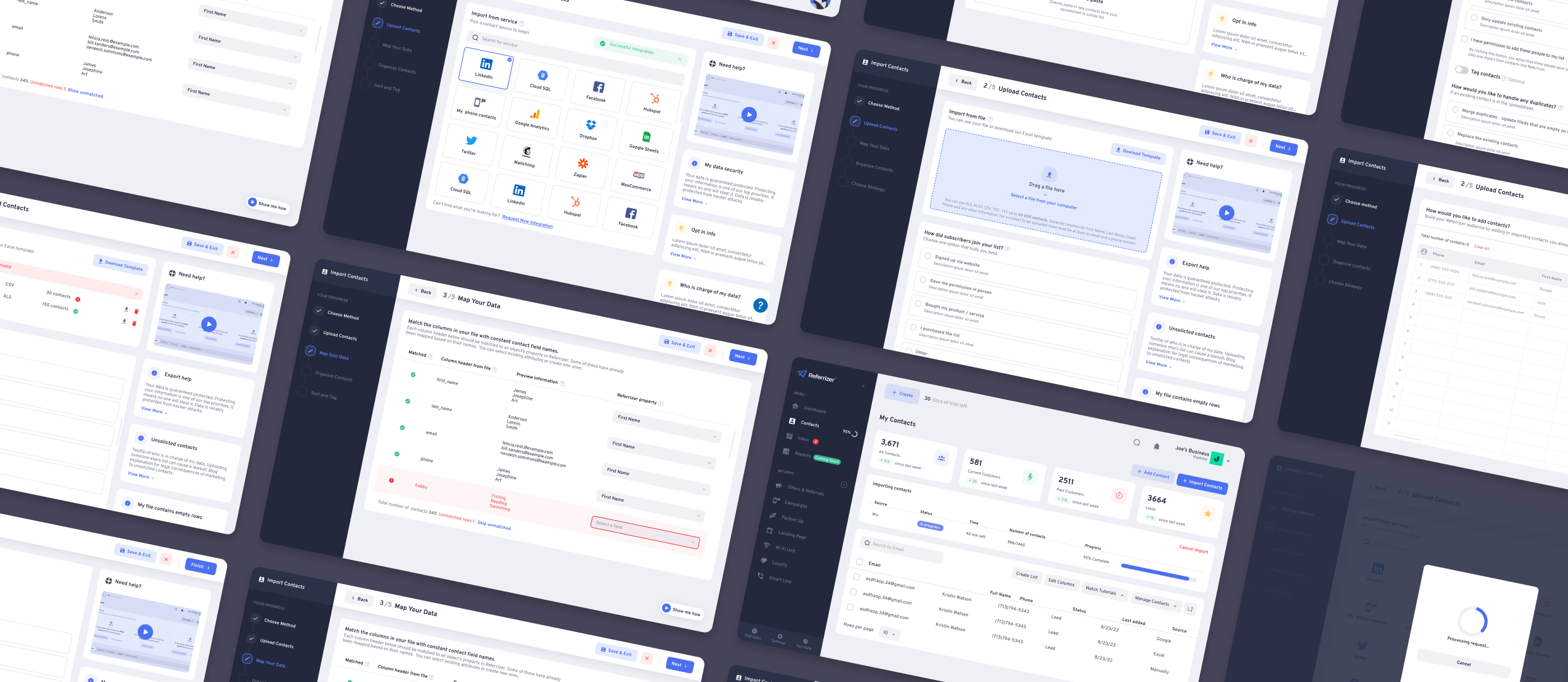
One of the most important aspects of the design stage was the creation of high-fidelity screens that accurately reflected the final product. We made sure to use consistent branding and design elements throughout the screens to create a cohesive experience. The screens included features such as the ability to import contacts from various sources, preview imported contacts, and easily clean and organize contact lists.

The design team worked closely with the development team to ensure that the screens were technically feasible and that the design system could be implemented without issue. We also made sure to gather feedback from stakeholders and target personas throughout the design process to ensure that the final product would meet their needs and expectations.

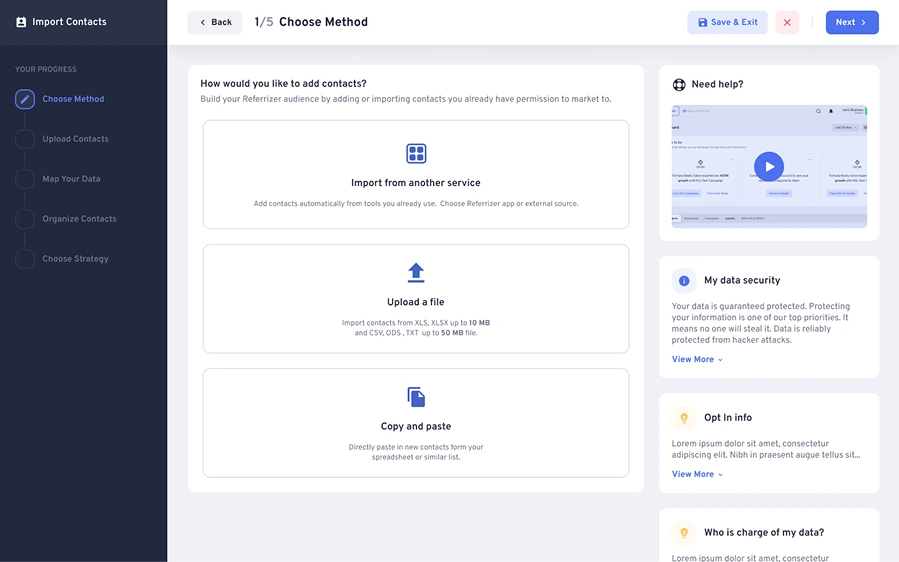
Step 1: Choose Method - Import from another service, upload a file, or copy and paste
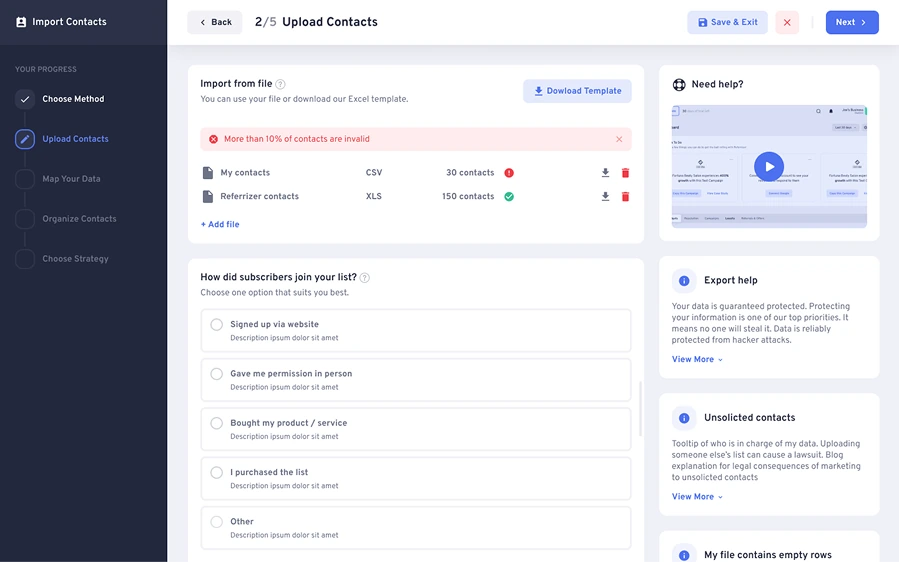
Step 2: Upload Contacts - File validation with error state showing uploaded files
Step 2: Upload Contacts - Drag and drop file upload with subscriber options
Step 3: Map Your Data - Column header matching with field mapping table
Step 4: Organize Contacts - Subscription status and contact categorization
Step 5: Sort and Tag - Contact sorting, tagging, and duplicate handling
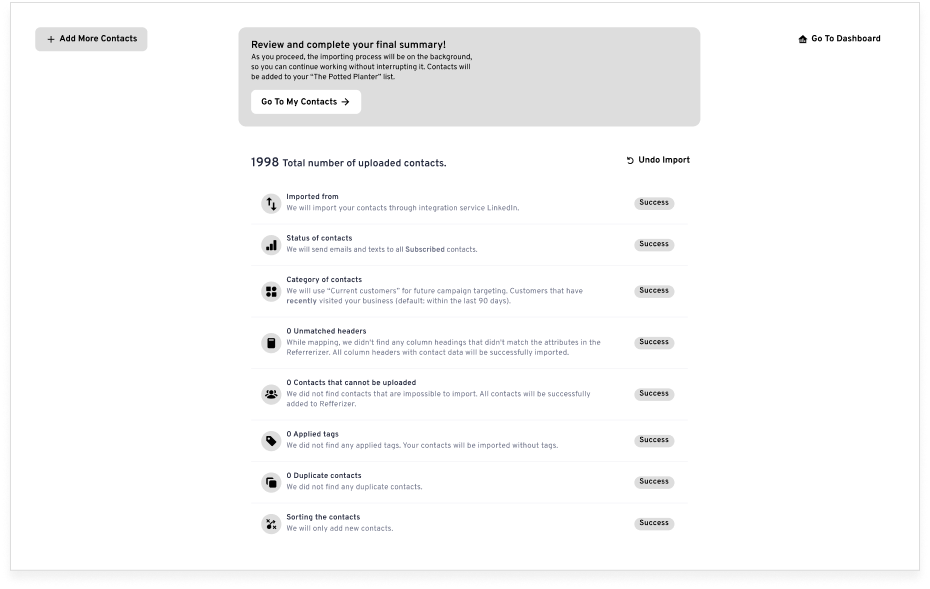
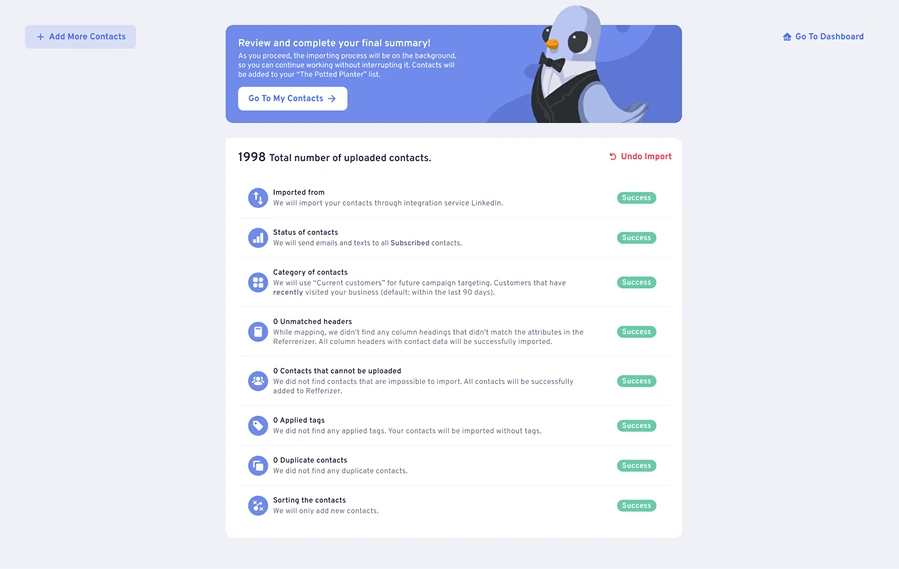
Import summary showing total contacts uploaded with success status for each validation step

Prototyping

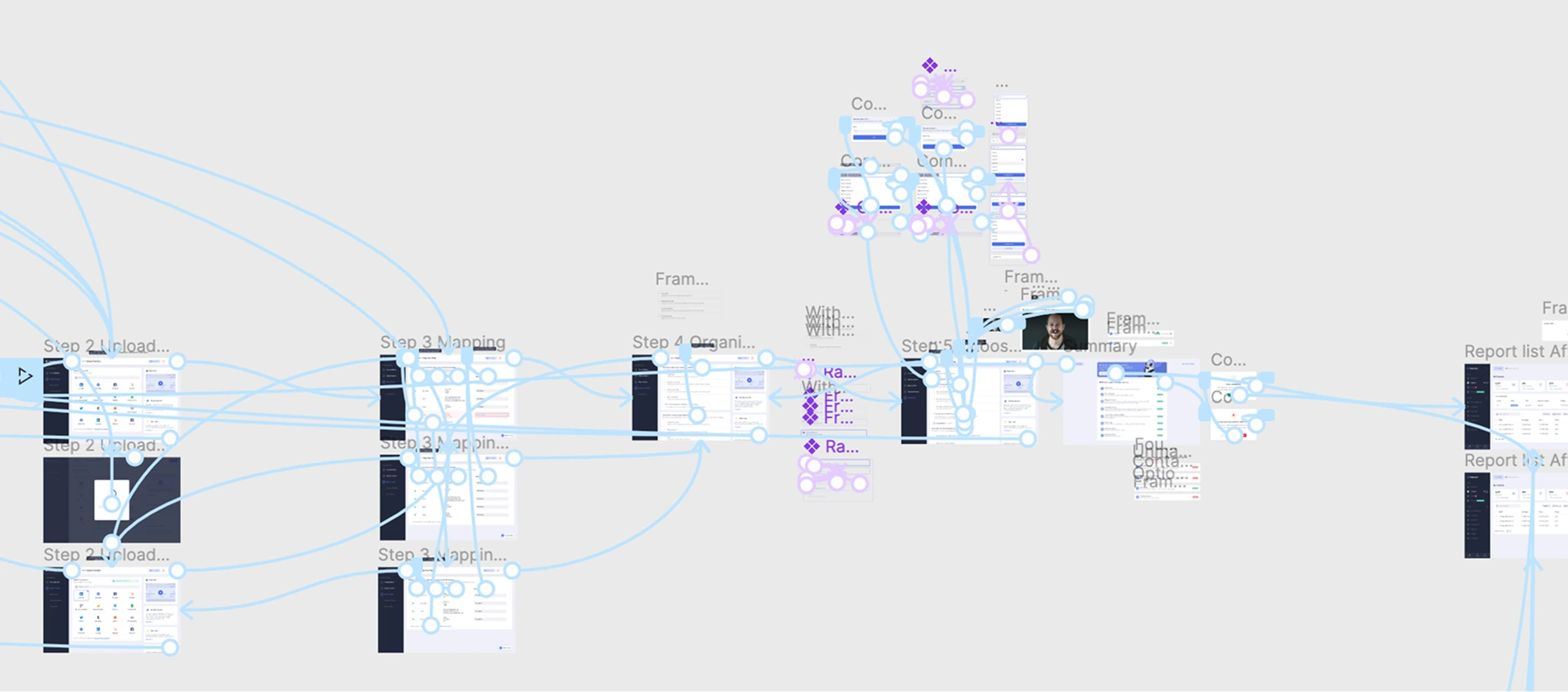
With the design system in place, I created a functional prototype using Figma to simulate the user's experience of importing their contacts and completing the onboarding process. This prototype was extensively tested internally to ensure that the process was intuitive and easy to follow, and any issues or inconsistencies were addressed before the final prototype was presented to the development team for implementation.

Figma prototype flow showing connected screens for the full import contacts journey
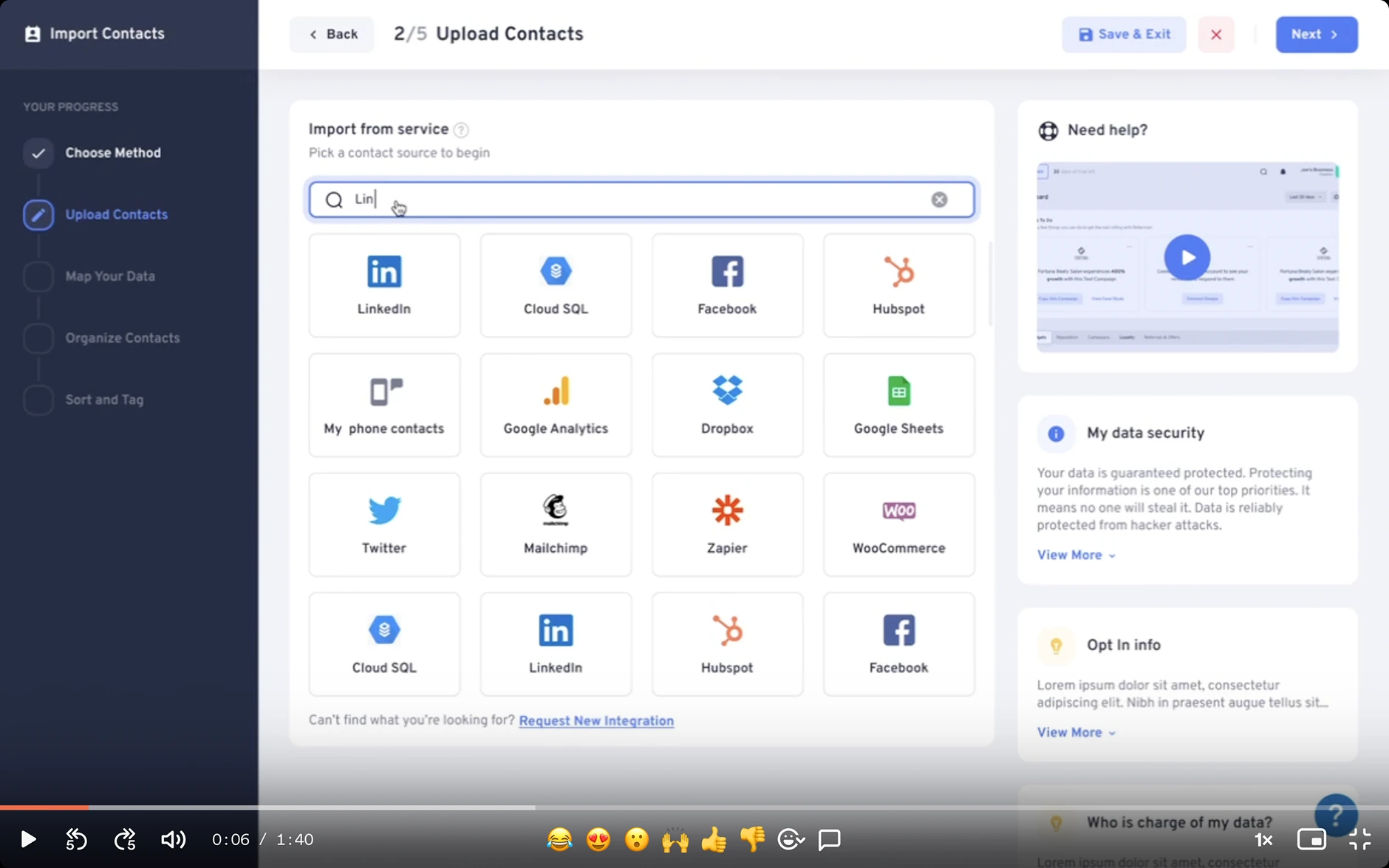
Prototype screen showing the Upload Contacts step with service integration search and selection

User Testing

To ensure that the final product met the needs of our target personas and was easy to use, I conducted extensive user testing using a tool called Maze.com. I created user scenarios and tasks that mimicked real-world situations and tested the prototype with a diverse group of participants. The results of the user testing were analyzed and used to make further improvements to the design, which were then incorporated into the final product.

Scenarios & Tasks

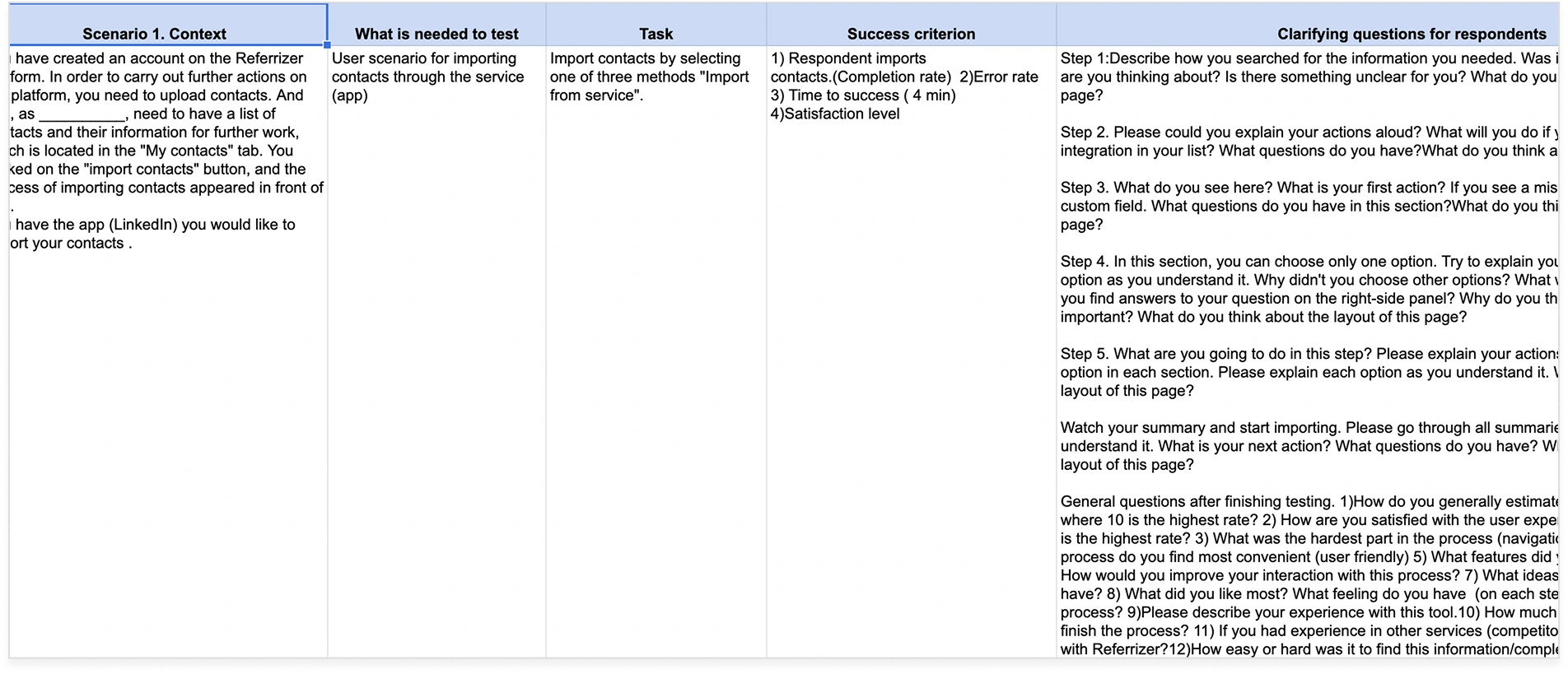
As we moved into the user testing phase, we began by creating a series of scenarios and tasks that would allow us to test the usability of the import contacts process. These tasks were designed to mimic real-world situations that our target personas might encounter when trying to import contacts into our marketing automation CRM system. We made sure to create tasks that would test all aspects of the import process, from selecting the right source to cleaning and organizing imported contact lists.

Test scenario table showing context, tasks, success criteria, and clarifying questions for each step

Setting up the test

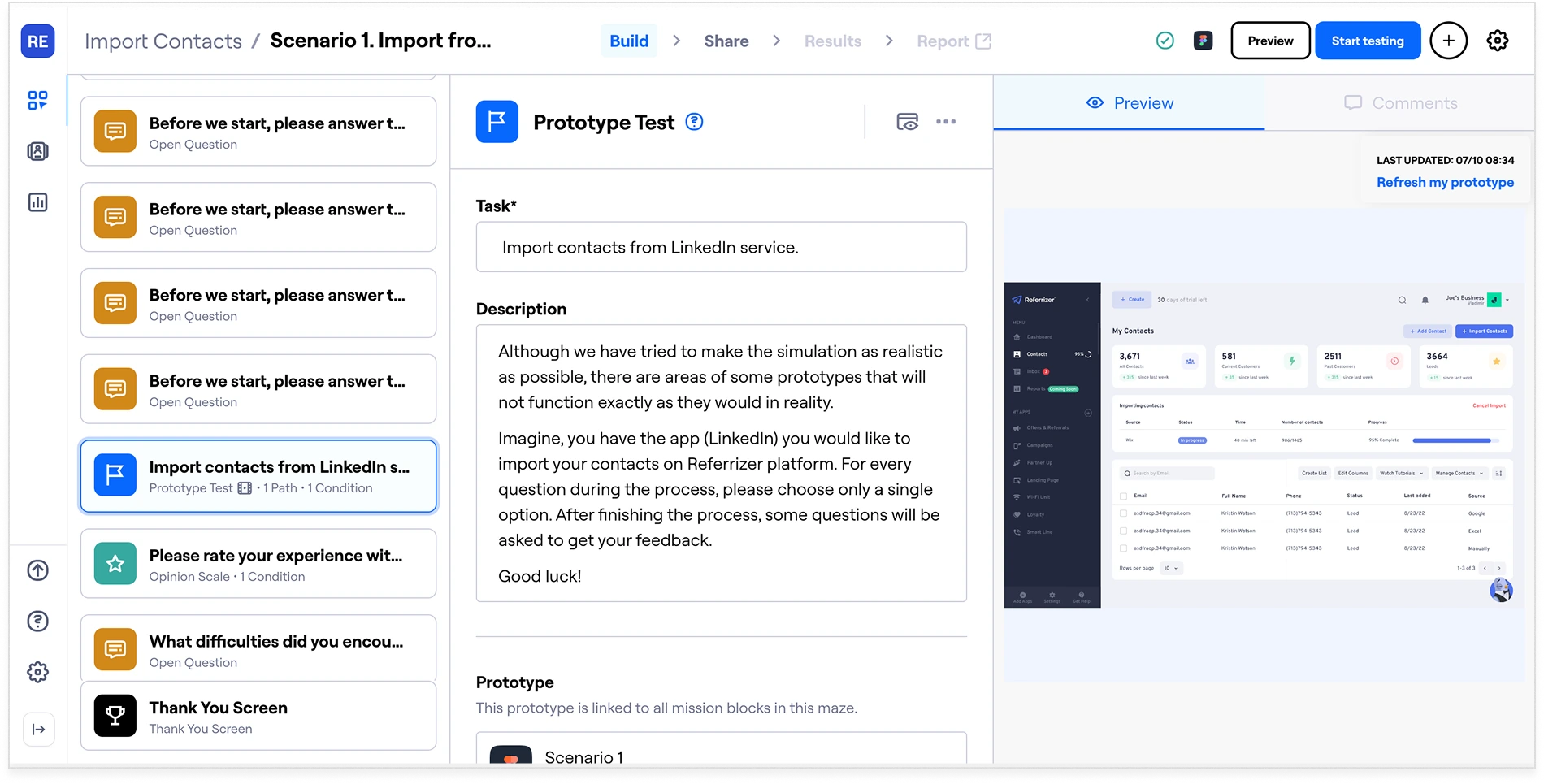
To conduct user testing, we used a tool called Maze.com, which allowed us to create and run live tests with our target personas. We worked with our client to recruit a diverse group of small business owners who were representative of our target personas. We then set up the test within the Maze platform, which included creating the tasks and scenarios, selecting the appropriate screens to test, and setting up the necessary data collection tools.

Maze.com test builder showing prototype test configuration with task blocks, open questions, and preview

Running the live test

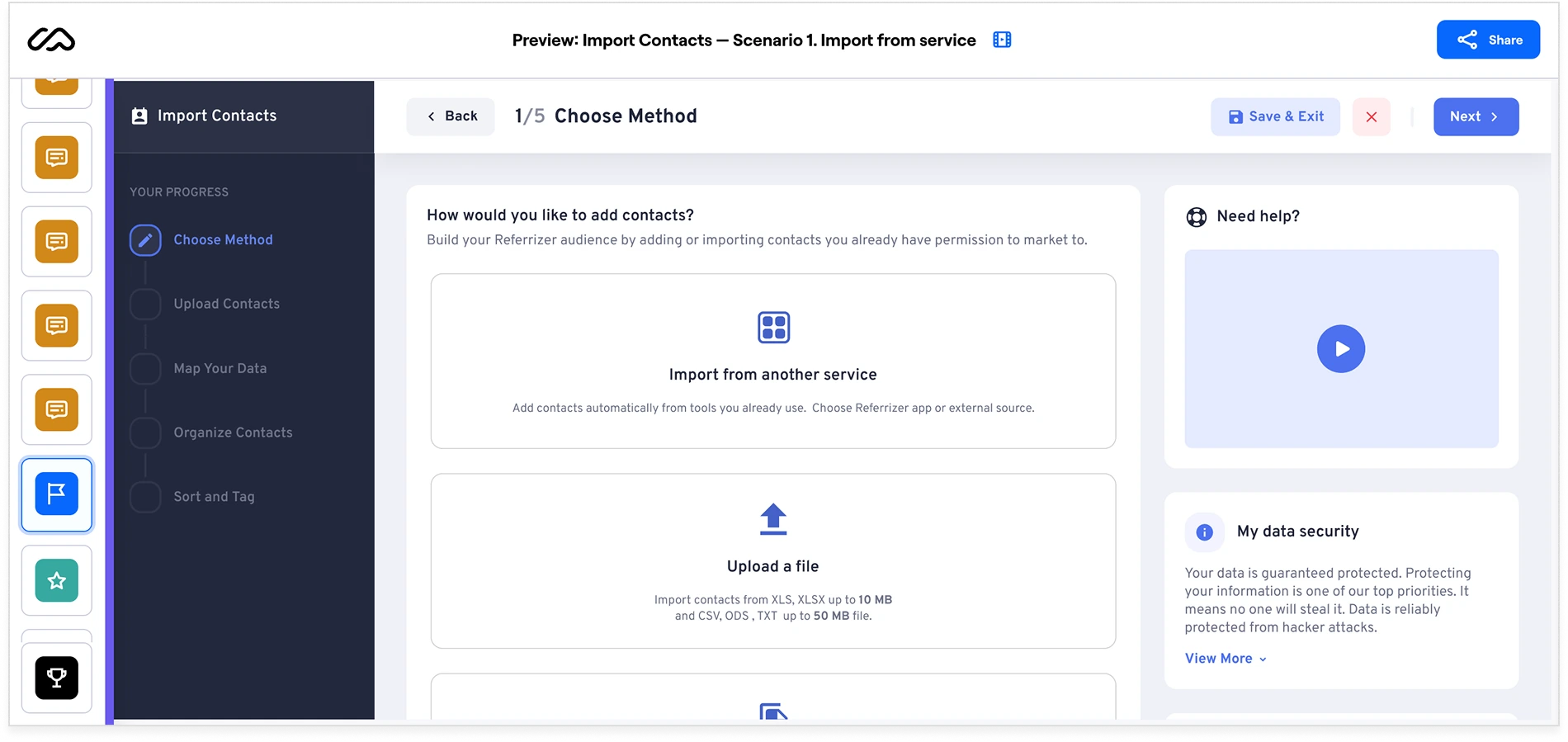
Once the test was set up, we ran it with our selected group of users. We closely observed their actions and behaviors as they completed each task, taking notes on any issues or pain points that arose. We also collected quantitative data on how long each task took to complete and how many errors were made. Throughout the testing process, we encouraged users to think aloud and provide feedback on their experience.
Live Maze test preview showing the import contacts prototype with step-by-step progress sidebar

Test Results

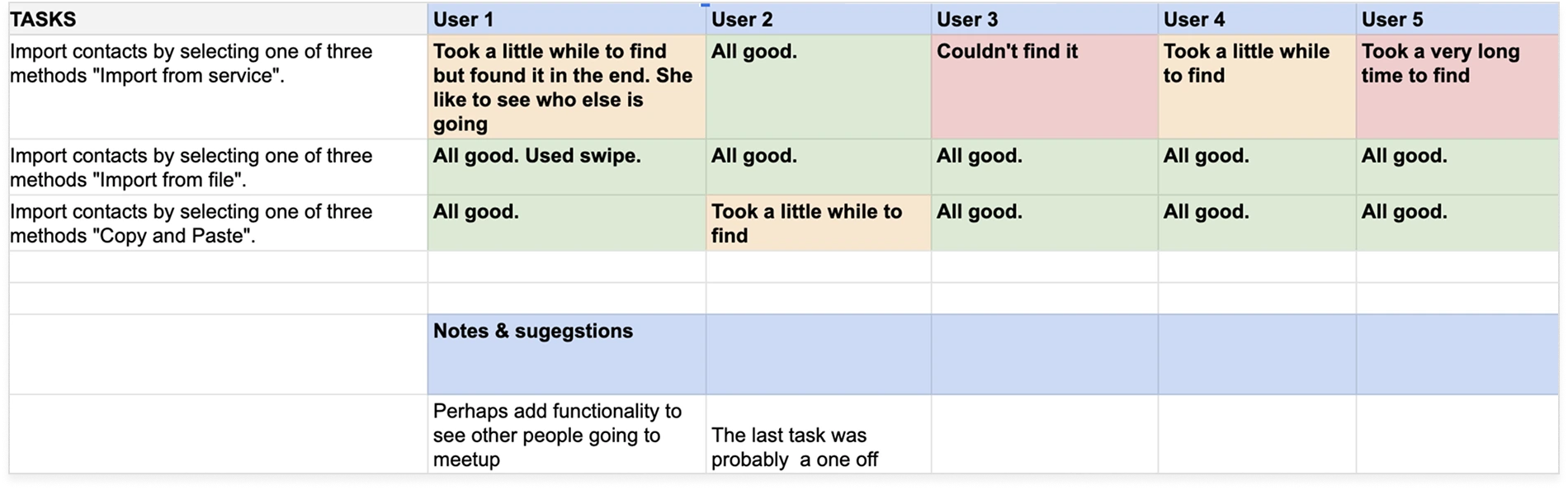
After the testing phase was complete, we analyzed the data and feedback we had collected to identify any issues or pain points with the import process. We found that some users struggled to understand the different import sources and how to select the correct one. Others had difficulty previewing and cleaning imported contact lists. Based on this feedback, we made several refinements to the design and user flow, such as adding more detailed instructions and clarifying the selection process for import sources.
Overall, the user testing phase was crucial to ensuring that the import contacts process was easy to use and met the needs of our target personas. By gathering feedback directly from users, we were able to make informed decisions and refine the design to create a product that truly met their needs.

User testing results table showing task completion feedback across 5 users with notes and suggestions

Key Findings

Import Sources Were Unclear

Some users could not tell the import sources apart, or work out which one applied to them. Choosing a source is the first decision in the flow, so getting it wrong meant starting over. We added fuller instructions and clarified how the selection works.

Previewing and Cleaning Was Hard

Others struggled once the contacts were in, specifically with previewing a list and cleaning it up. That is the step that decides whether targeting and segmentation work later, so the refinements focused on making the state of a list visible before it is committed.


Developer Handoff

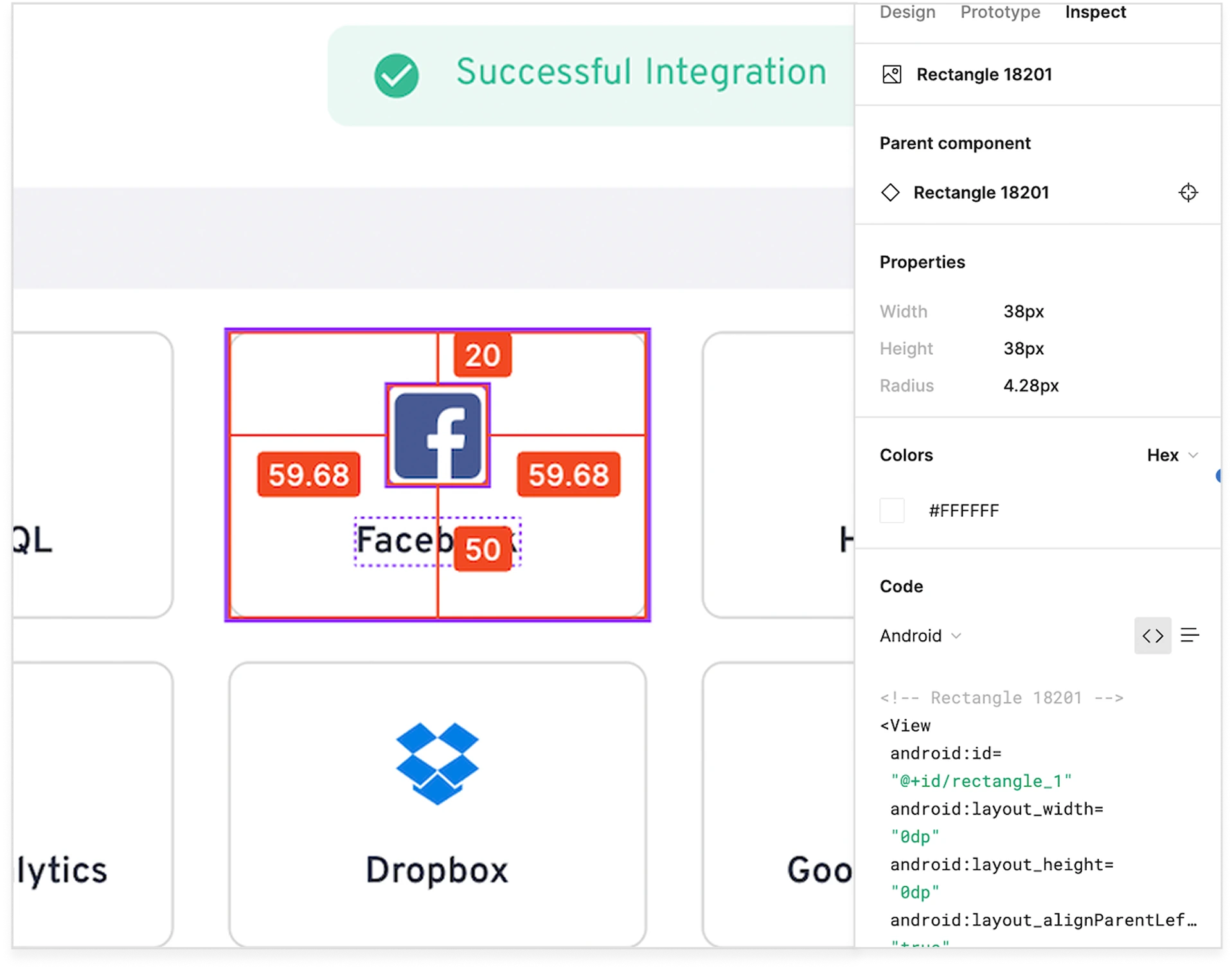
Once the prototype was finalized, I worked closely with the development team to ensure that the design was implemented accurately and with the user experience in mind. I provided detailed design specifications and guidelines, as well as ongoing support and feedback throughout the development process to ensure that the final product was consistent with the design vision and met the needs of our target personas.

Figma inspect panel showing component properties, spacing measurements, colors, and generated code for developer handoff

Reflection / Launch

Looking back on the project, I am proud of the work that was done to simplify the process of importing contacts into the Referrizer system. The final product met the needs of our target personas, and was easy to use and understand. We received positive feedback from users and saw an increase in user adoption rates. This project was a great example of how collaboration between design, development, and product management can result in a successful product that meets the needs of the user and drives business results.

It Fit the Personas

The final product matched what the target personas needed, and was easy to use and understand without a lesson first.

Users Said So

Feedback after launch was positive, which mattered most from the non-technical owners the work was aimed at.

Adoption Went Up

Take-up increased after release, the clearest sign that removing the setup barrier was worth the effort.

What I Learned

Conducting thorough user research and analysis is critical to understanding user pain points and designing a successful product.

Collaborating closely with team members and stakeholders is essential for aligning on the project's goals and ensuring everyone is working towards the same vision.

User testing with tools like Maze.com is a valuable way to gather user feedback and validate design decisions.

Competitive analysis can provide insights into industry best practices and help identify areas for differentiation.

What I Would Do Differently

Prioritize involving target users earlier in the design process to ensure their feedback is incorporated into the design from the start.

Conduct more extensive usability testing to identify and address any usability issues earlier in the design process.

Consider exploring additional integrations beyond just the import contacts feature to provide a more comprehensive solution for our target users.